


How to Reduce Customer Churn for macOS Apps
When you're trying to grow a macOS app, churn is the silent killer. It's not just about losing a customer; it's about a slow leak that can sink your entire business. The key is a proactive strategy—one that proves your app's value right out of the gate and keeps users hooked.
This means you have to nail the onboarding with crystal-clear tutorials, get smart about spotting at-risk users in your data, and figure out how to provide amazing support that doesn't burn you out. Your goal is simple: make your app so essential to their workflow that they can't imagine life without it.
Getting a Grip on Churn in the macOS World
We all love the thrill of getting new customers, but let’s be honest—it’s a leaky bucket if you’re not keeping the ones you already have. Churn is just the measure of how many users stop using your app over a certain time. The numbers don't lie: it can cost five times more to land a new customer than to keep an existing one. High churn quietly eats away at your revenue and makes all that hard work you poured into your product feel pointless.
For those of us building macOS apps, especially with a one-time purchase model like Screen Charm, churn isn't just a lost subscription. It shows up as refund requests, scathing Mac App Store reviews, and a slow, steady drop in active users.
The upside? A mere 5% bump in customer retention can crank up profits by as much as 95%. This makes focusing on retention one of the smartest moves you can make for long-term growth. It's all about increasing customer lifetime value, which is tied directly to keeping users happy.
Not All Churn Is Created Equal
To really tackle churn, you have to know what you’re up against. Lumping all churn together is a rookie mistake because different reasons require completely different fixes. For macOS apps, churn typically breaks down into two camps:
-
Voluntary Churn: This is the most common kind. A user consciously decides your app isn't for them. They drag it to the Trash, ask for a refund, or just let it gather digital dust. The culprit is often a clunky first impression, a confusing UI, or a simple failure to deliver on your marketing promises.
-
Involuntary Churn: While this is often associated with failed credit card payments in the SaaS world, it has a parallel for macOS apps. Think of it as "accidental churn." Something outside their direct control gets in the way. A classic example is a new macOS update that breaks compatibility, or a user who forgets they even own your app after getting a new Mac and migrating their data.
It's a huge mistake to treat all churn the same. A user who uninstalls your video editor because the timeline is a nightmare (voluntary) needs a better tutorial. The user who can't even launch it after updating to Sonoma (involuntary) needs a patch and a proactive support email.
Why Demos and Tutorials Are Your Secret Weapon
Let's face it, Mac users have high standards. They expect software to be beautiful, intuitive, and just work. This is exactly why great product demos and tutorials are your first and best defense against churn.
A polished demo video on your website or Mac App Store page does more than just show off features; it sets expectations. It shows a potential customer exactly how your app will solve their specific problem before they even click "buy."
Once they're in, a killer onboarding tutorial—something you can create in minutes with a tool like Screen Charm—is your chance to guide them straight to that "aha!" moment. When you clearly demonstrate a core feature that solves a real pain point, like how Screen Charm’s auto-zoom on the cursor makes tutorials feel dynamic and professional, you kill frustration on the spot. You've just proven your app's value, and that initial win makes a user far more likely to stick around for the long haul.
Diagnosing Churn with Product Usage Data
If you want to get a handle on churn, you have to understand why it's happening. Just knowing your overall churn rate is like realizing you’re losing money without ever looking at your bank statements. It confirms there's a problem, but it doesn’t tell you where the leak is.
The real answers are buried in your product usage data.
Once you start digging into how people actually use your macOS app, you can stop guessing and start knowing. You’ll begin to see clear, undeniable patterns that separate the customers who stick around for the long haul from those who quietly drift away.
This data-first approach is the bedrock of any real retention strategy. It’s a continuous loop of diagnosing, measuring, and acting.
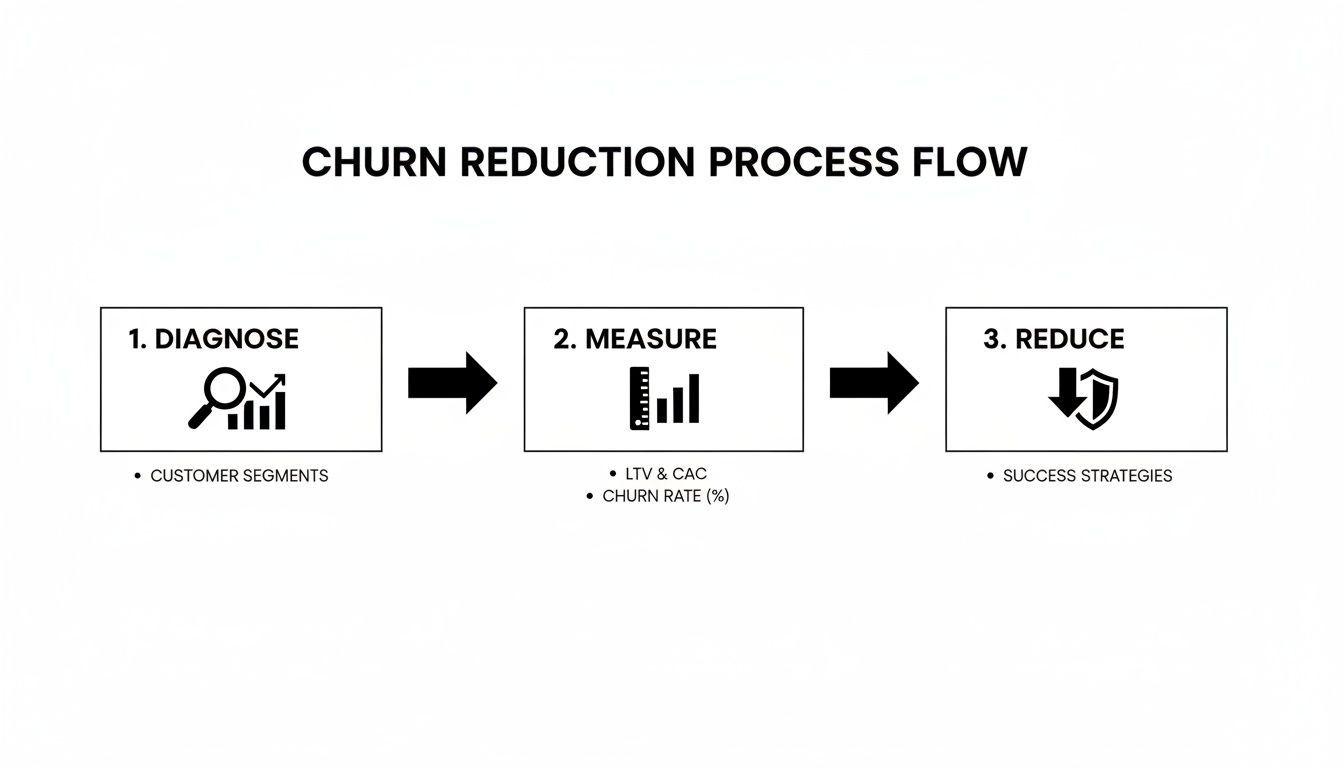
This isn’t a one-and-done fix. As the visual shows, it’s a cycle. You’re constantly analyzing what’s happening and making adjustments based on real behavior.
Go Beyond Surface-Level Metrics
A simple churn rate (customers lost ÷ total customers) is a starting point, but it's a vanity metric. It doesn't tell you who is leaving or why. To get insights you can actually use for your macOS app, you need to track metrics that reveal how much value users are getting from your product.
Tracking the right metrics gives you a much sharper view of your app's health. You'll quickly see which features drive retention and, more importantly, where people are getting stuck and giving up.
Key Churn Metrics to Track for Your macOS App
This table outlines the essential metrics for diagnosing churn. Think of it as your dashboard for understanding user behavior and identifying potential red flags before they become churn statistics.
| Metric | How to Calculate | Why It Matters for a macOS App |
|---|---|---|
| Feature Adoption Rate | (Number of users who used a key feature / Total users) x 100 | Are people using the "magic" in your app, like Screen Charm's auto-zoom or custom backgrounds? Low adoption is a sign that your best features are invisible or confusing. |
| Time to Value (TTV) | Time from first launch to a user's first "aha!" moment (e.g., completing their first video export). | A long TTV is a churn magnet. If it takes too long to get a tangible win, like creating their first 4K video export in Screen Charm, new users will lose patience and leave. |
| User Engagement Score | A custom score based on actions like app launch frequency, key feature usage, and session duration. | This is your early warning system. A dropping score tells you a customer is disengaging long before they ask for a refund. |
These metrics move you from a blurry, high-level view to a crystal-clear picture of user health.
Identify At-Risk User Behavior
With the right data flowing in, you can start to spot the specific behaviors that signal a user is on the path to churning. Think of yourself as a detective, looking for clues before the customer vanishes for good.
For a macOS video creation tool like Screen Charm, these red flags might look like:
- Infrequent Logins: A user who purchased and was active daily for a week, but now only opens the app once a month, is clearly losing interest.
- Ignoring Core Features: Someone who’s had the app for a month but has never once used the webcam recording or touched the integrated editor isn’t getting their money’s worth.
- No High-Value Actions: A user who creates a few projects but never actually exports a finished video is getting zero ROI. This is one of the strongest predictors of churn.
The goal isn't just to spot these behaviors; it's to understand the friction causing them. Is the export process confusing? Are the editing tools hard to discover? These questions lead you directly to product improvements that fight churn.
To get even deeper, you can also look into platforms that provide AI-driven insights for churn analysis. They can often spot complex patterns in your data that you might miss, giving you an even earlier heads-up.
Use Segmentation to Find the Real Patterns
Not all users are created equal, and neither are their reasons for leaving. This is where segmentation becomes your superpower. By grouping users based on shared traits or behaviors, you can isolate which types of customers are most likely to churn and why.
For instance, you could segment your Screen Charm users by:
- Acquisition Channel: Do customers from the Mac App Store churn more than those from your website? Maybe your App Store description sets the wrong expectations.
- User Persona: Are indie developers churning more than marketing managers? Perhaps your onboarding videos are too technical for one group and not technical enough for the other.
- Feature Usage: Create a segment of "power users" who use advanced features like auto-zoom and another of "basic users" who only screen record. If your power users start churning, you have a serious problem with your core value proposition.
Within the macOS ecosystem, there is no better predictor of churn than product usage data. Period. Low engagement and poor customer health scores are the top red flags. For macOS apps that depend on long-term user satisfaction, those who proactively track usage are the ones who slash refund requests and win.
Building Stickiness Through a Flawless Onboarding
The single most effective way to kill churn isn't some complex win-back campaign. It’s getting the core experience right from the very first minute. For macOS software, where users have high expectations for elegance and intuitive design, a confusing first five minutes is a death sentence. A flawless onboarding process is your best defense.
The whole point is to slash that initial friction and rocket users straight to their "aha!" moment. That's the instant they truly get the value your app provides. Think about it: a user who creates and exports a polished tutorial with Screen Charm in their first session has found their "aha!" moment. A user who can't even find the record button? They're already halfway out the door.

That initial success creates momentum. It turns a tentative new buyer into a confident, engaged user. When you nail onboarding, you’re not just showing off features—you're proving your app is an essential part of their workflow from day one.
The Critical Role of Video in Onboarding
Onboarding isn't just a welcome screen. It's an ongoing educational process that should make your app feel like a native part of the macOS environment. Clear, engaging tutorial videos are the foundation here, especially for a visual product like a screen recorder.
Instead of a wall of text in a tooltip, imagine a snappy two-minute video showing a key feature in action. For instance, a quick demo showing a new Screen Charm user how to turn on the auto-zoom feature is far more powerful than a paragraph trying to explain it. It shows the value immediately, cuts down on cognitive load, and respects the user’s time.
Here’s how video can completely change the onboarding game:
- Demonstrates Value Instantly: A well-crafted video can show off a powerful feature, like creating a custom branded background, in under 30 seconds. This instantly answers the user's unspoken question: "Is this app worth my time?"
- Reduces Support Tickets: By creating a library of tutorials that proactively answer common "how-to" questions, you empower people to solve their own problems. This lightens the load on your support team and prevents the frustration that leads to refund requests.
- Drives Feature Adoption: Most users will only ever scratch the surface of what your app can do. Contextual video guides can introduce them to advanced features they might have missed, deepening their investment in your product.
For more on creating a great first-run experience, check out our complete guide on user onboarding best practices. It's full of actionable tips specifically for macOS developers.
Crafting Contextual In-App Guidance
Beyond a video library, the best onboarding experiences deliver help exactly when and where it's needed. This means using contextual in-app prompts that feel genuinely helpful, not intrusive. The guidance should feel like a natural part of the macOS interface, not a jarring pop-up.
For example, the first time a user finishes a recording in Screen Charm, a subtle tooltip could appear pointing them toward the editor. A simple message works best: "Ready to fine-tune your video? Click here to trim clips and adjust zoom effects."
The key is to be predictive. You have to anticipate what the user is trying to do and offer a helping hand at that exact moment. This proactive approach makes people feel supported and smart—two emotions that are crucial for building long-term loyalty.
This kind of contextual help flattens the learning curve and ensures people discover the full power of your app organically. It’s all about showing value at every step, not just in the first few minutes.
Tailoring Onboarding for User Success
A one-size-fits-all onboarding flow rarely works. A marketer using Screen Charm for promotional content has completely different needs than an indie developer creating a product demo.
Even for a one-time purchase macOS product, personalized success strategies can make a huge difference. For a product like Screen Charm, a tailored approach could be as simple as an onboarding video showing a marketer how to use custom backgrounds for branding, while another guides a developer on integrating webcam footage for a more personal tutorial. This targeted guidance makes sure every user quickly finds the features most relevant to their goals.
Don’t Just Solve Problems—Prevent Them with Proactive Support
Once a customer is through the door and onboarded, the next big battleground for retention is customer support. But let's be clear: great support isn't about being a superhero who swoops in to fix every problem. It’s about building a system so good that most problems never happen in the first place. The real goal is to move away from a reactive, ticket-based model and toward a proactive one that builds deep, lasting trust.
This shift starts by empowering your users. When people can find their own answers quickly and feel in control, their confidence in your product skyrockets. They're far less likely to get frustrated and churn over a minor hiccup.

Build a Knowledge Base That People Actually Use
Your knowledge base is your first line of defense, so make it a good one. For a visual macOS app like Screen Charm, this means you absolutely must go beyond long, text-heavy articles. Your knowledge base should be a rich library of high-quality video tutorials that show, not just tell.
Start by thinking about the most common questions your support team gets. Instead of writing another dense FAQ page, fire up Screen Charm and create a short, focused video for each one.
- How do I add a custom background? A quick 60-second video is all it takes.
- How can I adjust the auto-zoom sensitivity? Show them in under two minutes.
- What are the best settings for exporting in 4K? Walk them through the exact steps.
These videos do more than just answer a question. They empower people to help themselves, which feels great for them and frees up your support team to tackle the truly complex issues that need a human touch. This is a non-negotiable strategy if you're serious about reducing churn at scale.
A great knowledge base isn't just a support tool; it's a retention machine. Every question answered without a support ticket is a moment of frustration avoided and a small victory for the user, reinforcing their decision to choose your app.
Use AI to Provide Instant, Scalable Answers
Even the best knowledge base can’t beat the modern user's expectation for immediate help. This is where AI-powered tools become a game-changer, especially for creators and developers who need fast answers on video editing techniques or specific effects. An AI chatbot, fed with your library of video tutorials and articles, can provide instant, 24/7 answers right inside your app or on your website.
It's the best of both worlds. The bot effortlessly handles the high volume of repetitive questions, while your human experts can dedicate their time to the high-touch, complex problems where their expertise truly shines.
The ROI here is massive. Integrating AI into your support can lead to an 87% reduction in average resolution times and a 13.8% increase in inquiries handled per hour. This kind of efficiency is a huge win for a macOS app like Screen Charm that's targeting a global audience. You can discover more insights about the ROI of AI in customer experience on fullview.io.
Stop Waiting for Problems—Reach Out First
The final, and most powerful, piece of the puzzle is to stop waiting for users to come to you with problems. Use your product analytics to spot users who are struggling and reach out to them before they get frustrated enough to request a refund.
Did a user start three different recording projects but never actually export a single one? That’s a huge red flag. They’re stuck.
Instead of waiting for them to give up, send a friendly, automated email with a helpful resource.
Here’s a simple example:
Subject: Having trouble exporting your video in Screen Charm?
Hi [User Name],
I noticed you’ve been busy creating some new projects! I wanted to share a quick video tutorial that walks through the best export settings to get a crystal-clear 4K video.
You can watch it here: [Link to Video]
If you have any questions, just reply to this email. We're here to help!
This simple, automated nudge can make all the difference. It shows you’re paying attention and that you genuinely care about their success. It’s how you build immense loyalty and turn a potential churn risk into a power user.
Closing the Loop with Smart Communication
Retention isn't something you "do" once and then check off the list. It’s a constant, ongoing conversation with your users. The final, critical piece of any solid churn-reduction strategy is building a smart communication loop to gather feedback, act on it, and keep people engaged long after they’ve clicked "buy."
This isn't just about blasting out a monthly newsletter. It’s about creating a genuine dialogue that makes your users feel heard and shows them your macOS app is actually evolving to meet their needs. When customers see their feedback turn into real product improvements, they stop being passive users and become invested partners.
Turn Churned Customers into Your Best Consultants
It sounds backward, but some of the most valuable feedback you’ll ever get comes from people who have already left. A user who requests a refund isn't just a lost sale; they are a goldmine of unfiltered, brutally honest information about your app's biggest weaknesses.
So, don't just process the refund and close the ticket. Build a simple, automated exit survey into your offboarding process. When a customer churns, you absolutely have to ask them why.
Just don't hit them with a generic 20-question survey. Keep it short and to the point. For an app like Screen Charm, you might ask:
- What was the main reason you asked for a refund?
- Was there a specific feature you found confusing or couldn't find?
- Which competitor, if any, are you switching to?
The answers you get back are pure gold. If a handful of users all say they left because they couldn't figure out the timeline editor, you've just pinpointed a massive friction point. Maybe that’s a signal to create a better tutorial video, or maybe it’s time for a UI redesign. This feedback loop is the key to understanding how to reduce customer churn by fixing the real issues pushing people away.
Your churned customers are handing you a free, painfully honest roadmap for improving your product. Ignoring their feedback is one of the most expensive mistakes you can make as a macOS developer.
Re-Engaging Quiet Users with Lifecycle Emails
Not every at-risk user will be vocal enough to ask for a refund. Many will just… fade away. Your app ends up collecting digital dust on their Mac. This is where proactive, automated lifecycle emails can make all the difference.
The goal here isn't to spam their inbox. It's to deliver timely, relevant content that gently reminds them of the value they saw in your app in the first place. The trick is to segment users based on their behavior so you can send targeted messages that feel genuinely helpful, not desperate.
For instance, you could set up a campaign for users who haven't exported a video in 30 days.
Here’s a quick idea for a re-engagement email:
Subject: Did you know about this hidden feature in Screen Charm?
Hi [User Name],
It's been a little while since you last created a video with us. We just wanted to share a quick tutorial on a powerful feature a lot of users miss: custom-branded backgrounds.
In this 90-second video, you'll see how you can add your own logo or backdrop to make your product demos look incredibly professional.
Watch it here: [Link to Video Tutorial]
This approach works because it’s educational, not salesy. You're offering a useful tip that might just rekindle their interest and pull them back into the app. Sometimes, a single, well-timed email with a compelling video is the nudge a user needs to give your app another shot. This is also a fundamental part of learning how to build trust with customers, as it proves you're invested in their success.
Ultimately, smart communication connects the dots between user experience and product development. By actively listening to both your former and current users, you create a dynamic where your app is constantly improving based on what people actually need. That makes your product stickier and your value proposition undeniable—turning the tide on customer churn for good.
Common Questions About Reducing macOS App Churn
Even with the best playbook, you're bound to run into questions as you get into the weeds of customer retention. It's a complex beast, but thinking through these common sticking points can make the whole process feel much less intimidating. Here are a few of the questions I hear most often from macOS developers.
What’s a Good Churn Rate for a macOS App?
This is a tricky one because macOS apps often don't fit the standard SaaS subscription model.
For one-time purchase apps, the game changes. Forget traditional churn and focus on two things: refund rates and long-term engagement.
Aiming for a refund rate below 5% is a solid goal. That’s your first signal of a good product-market fit. But the real proof is in the long-term usage. Are people still opening your app 30, 60, or 90 days after they bought it? If they are, you've dodged "engagement churn" and built something that delivers real, lasting value.
A low refund rate is a great start, but high long-term engagement is the true hallmark of a sticky product. It’s a sign that your app has become a non-negotiable part of your users' workflow.
How Can I Reduce Churn with a Small Team?
Good news: you don't need a huge budget or a dedicated retention team to make a dent in churn. When you're small, it's all about focusing your limited resources on activities that punch way above their weight.
Here’s where I’d start if I were in your shoes as a macOS developer:
- Nail Your Onboarding: This is non-negotiable. Most churn happens early, usually born from confusion. Your number one job is to get users to their "aha!" moment as fast as possible. Use a tool like Screen Charm to create short, snappy tutorial videos that show them exactly how to get started.
- Automate Feedback Loops: Set up a dead-simple, one-question survey that triggers when someone requests a refund. It's a low-effort way to get a constant stream of candid, actionable feedback on why people are leaving.
- Build a "Micro" Knowledge Base: Don't try to build a massive help center. Just identify your top 5-10 most frequent support tickets and create a quick video tutorial for each. This scales your support capacity and helps users help themselves.
This focused approach lets you tackle the biggest causes of churn without burning out your team.
When Is the Best Time to Intervene with an At-Risk User?
Timing is absolutely critical. You want to step in the moment you notice a user's behavior has changed—not after they've already ghosted you.
Think about the patterns. For a macOS video editing app, a trigger might be a user who used to export a project weekly but hasn't done so in 15 days. That's your signal. Another golden opportunity is right after a major feature release.
Sending a proactive email with a quick demo video showing off the new tools can be a game-changer. It's a natural way to remind them why they bought your app in the first place and pull them back in before they start looking at competitors. Many of the core ideas behind user engagement are universal, and understanding effective mobile app retention strategies can offer a wealth of inspiration for your macOS app, too.
Ready to create stunning, churn-busting product demos and tutorials that captivate your users from day one? With Screen Charm, you can produce polished, professional-quality videos in minutes, not hours. Try Screen Charm today and see the difference it makes.