

How to Improve Customer Retention for macOS Apps
When it comes to keeping users on your macOS app, you have to play a different game. It’s not about just patching bugs or reacting to support tickets anymore. The real win is in building a proactive experience that makes your app an indispensable part of a user’s daily workflow, right from the very first launch. This means weaving together a journey of intuitive onboarding, continuous education, and top-notch support.
Why Mac Users Leave and How to Make Them Stay
Losing customers, or churn, often feels like trying to fill a leaky bucket. This is especially true in the macOS market, where users have sky-high expectations. They don't just want functional software; they expect a polished, intuitive, and seamless experience the second they open an app.
Simply fixing what's broken isn't enough to boost retention if the initial experience doesn't deliver. If a new user can't figure out your app's core value in minutes or finds the interface confusing, they won't hesitate to drag it to the Trash and find a better alternative. There are just too many good options out there on the Mac App Store and Setapp.
This guide is built to help macOS developers flip the script. Instead of just plugging leaks as they spring up, you’ll learn how to engineer an experience so compelling that users can't imagine their workflow without it. It's about building loyalty from day one.
The Core Pillars of macOS App Retention
To get a real handle on retention, we need to concentrate our efforts on a few high-impact areas. Think of these as the foundational pillars that turn a casual user into a die-hard fan.
Before we dive deep, here’s a quick overview of the core strategies we'll be breaking down. Each one is a critical piece of the puzzle for building an app that sticks.
Key Pillars for macOS App Retention
| Retention Pillar | Primary Goal | Key Tactic Example |
|---|---|---|
| Exceptional Onboarding | Make the app's core value instantly clear and achievable. | An interactive tutorial that guides users to their first "aha!" moment in under 3 minutes. |
| Continuous Education | Deepen engagement by revealing advanced features and new use cases over time. | A drip campaign of short video tips sent to users based on their in-app behavior. |
| Indispensable Product UX | Create a frictionless, enjoyable, and intuitive user experience that feels native to macOS. | Implementing a user feedback portal directly within the app to gather and act on suggestions. |
| Data-Informed Iteration | Use analytics to understand user behavior, identify friction points, and measure the impact of changes. | Analyzing cohort data to see if a new onboarding flow reduces drop-off in the first 7 days. |
By building your strategy around these pillars, you’re not just fighting churn—you’re actively fostering loyalty. It's a fundamental shift.
The goal is to stop convincing users to stay and instead create an experience that makes them want to stay, no questions asked.
To get started, it helps to understand the fundamentals. These 7 strategies of customer retention that work offer a great foundation. Throughout this guide, we'll give you a clear roadmap to implement these ideas, ensuring your macOS app doesn't just attract users but keeps them for the long haul.
Crafting an Unforgettable First Launch Experience
You’ve got about five minutes.
That’s the tiny window you have to convince a new user your macOS app is worth keeping. More often than not, this brief first impression decides whether your app becomes a daily staple or gets dragged straight to the Trash. A clunky, confusing, or aimless first run is the fastest way to lose a customer before you even have one.
So many macOS developers stumble here. They’re eager to show off every single feature, but that’s not what a new user needs. They need a quick "win." To keep users around, you have to stop thinking in terms of checklists and start designing a seamless welcome that proves your app's value right out of the gate.
The best way to do that? Show, don't just tell. High-quality video is your secret weapon here, demonstrating core workflows far better than any tooltip or wall of text ever could.
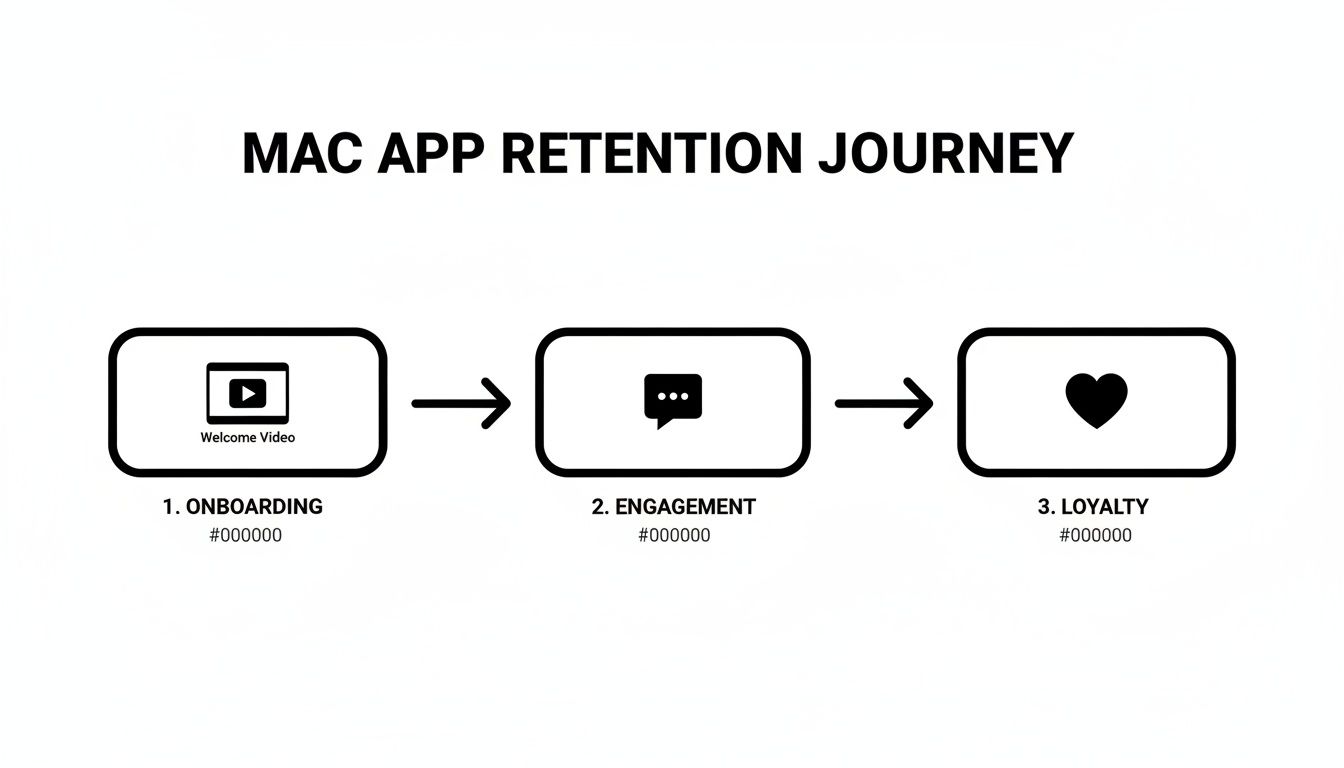
This journey from onboarding to loyalty starts with that very first interaction. You have to nail it.
Building Your Welcome Video
A great welcome video isn't a feature tour. It has one job: get the user to their first successful outcome. This video should feel like a personal guide, auto-playing on first launch to make someone feel capable and confident right away.
Think of it as a friendly handshake. You’ll want to introduce the main interface, point out a couple of critical navigation spots, and then walk through the single most important action they need to take. For a screen recording tool like Screen Charm, that means showing them exactly how to record and export their first clip. Simple as that.
Here’s a simple framework that works:
- A Quick Welcome: Briefly say hello and state the app's main purpose.
- Core Action Demo: Show the user how to complete one essential task, from start to finish.
- Value Proposition: End by reinforcing the awesome thing they just accomplished.
This approach cuts through the noise and gives them a clear path to value. That’s the core of good onboarding. If you want to dive deeper, we have a whole guide on user onboarding best practices.
Creating Task-Oriented Tutorials
Beyond that first welcome, you need a library of short, helpful tutorials. I'm not talking about long, boring feature rundowns. These should be two-minute videos that answer a very specific question or show a single workflow. For a macOS app, think tutorials on setting up a menu bar helper, configuring keyboard shortcuts, or integrating with another app they probably use, like Raycast or Alfred.
The key is making these videos easy to find when people need them. Link to them directly from your app’s help menu, or use subtle tooltips that pop up with a video walkthrough the first time a user bumps into a new feature.
A great tutorial doesn’t just explain a feature; it unlocks a new level of productivity for the user, making your app stickier and more indispensable with each video they watch.
In the cutthroat world of macOS software, a smooth start is non-negotiable. The data is sobering: the average software product retains just 39% of users after one month, and that number falls to 30% by month three. But the top-tier products? They retain 1.7x more users in that critical first month. It’s clear proof that a strong start pays off massively.
Essential Video Production Tips for Mac Apps
Look, you don't need a Hollywood budget to create polished videos. With the right tools built for macOS, you can produce high-quality demos without a massive learning curve.
Focus on making your videos clean, clear, and professional. You can do that by incorporating a few simple but powerful techniques:
- Use Auto-Zoom: This feature automatically highlights UI elements and cursor movements, so your viewer always knows exactly where to look and click. No more "wait, where did they just go?" moments.
- Customize Your Cursor: Change the cursor’s color or add a highlight effect. It’s a small tweak, but it makes your demonstration incredibly easy to follow, especially if your interface has a lot going on.
- Add a Professional Background: Don’t record over your messy desktop. Use a clean, branded background image. It instantly elevates the quality and makes your video look far more professional.
By applying these tips, you're not just reducing frustration—you're actively showing how valuable your app is. That positive first impression is the first, and most important, step in turning a curious new user into a loyal fan.
Keep Customers Engaged with Proactive Video
A great first impression is vital, but real retention is a long game. The second a user thinks they’ve seen everything your app can do—or worse, they’ve outgrown it—they start looking for alternatives. Your job is to keep revealing new layers of value, transforming your app from a simple utility into an essential, evolving part of their workflow.
This is where proactive video comes in. It’s easily the best way to keep your app top-of-mind and consistently show off its expanding capabilities.
I’m not just talking about sending out a link to your changelog. This is about building a real content plan that educates users on an ongoing basis, making them more skilled and embedding your app so deeply into their day that they can’t live without it.
Build a Sustainable Video Content Plan
The idea of pumping out a steady stream of slick videos can feel overwhelming, especially if you're a solo macOS developer or part of a small team. Don't worry. The secret isn't to do everything; it's to focus on a few high-impact formats that are actually efficient to produce.
Your goal here is to build a library of resources that reveals your app's true depth over time.
Here are the three types of videos I’ve found deliver the most bang for your buck:
- Feature Announcement Demos: When you ship a new feature, a quick video demo is a must. It instantly answers the two most important user questions: "What does this do?" and "Why should I care?" This drives adoption right out of the gate.
- Advanced Workflow Tutorials: Time to go beyond the basics. Think about creating short tutorials that showcase power-user workflows. For a macOS app, this is a goldmine. You could show an integration with Raycast, an Alfred workflow, or a slick Keyboard Maestro macro. These videos give your most dedicated users more to love and show newer users what’s possible.
- Real-World Case Studies: Put your app in the spotlight. Create a short video walking through how a real customer solves a specific, painful problem using your tool. This isn’t just a tutorial; it’s social proof that helps other users see your app in a whole new light.
This is how you improve customer retention—by consistently delivering value long after the initial download. If you want to dive deeper into how technology is shaping this space, it's worth reading about how AI can improve retention in digital content.
Show Off New Value with Advanced Tutorials
Your biggest fans are almost always your power users. They’re the ones who have woven your app so tightly into their work that removing it would be painful. Advanced tutorials are how you reward that loyalty and inspire everyone else.
Take a moment to think about what makes the macOS ecosystem so special. Could you film a video showing users how to automate a boring, repetitive task in your app using Apple Shortcuts? What about a tutorial on using your app’s CLI for some serious batch processing in Terminal?
These advanced guides do more than just teach; they completely reframe a user's perception of your app. It stops being a single-purpose tool and becomes a versatile platform. This is how you stop users from churning because they feel like they’ve hit a wall.
The possibilities are truly endless. Just ask your users what other tools are in their dock. Then, create videos showing how your app makes their favorite tools even better.
Make High-Quality Video Production Painless
Okay, let's be real. The thought of producing a constant flow of videos is intimidating. Traditional video editors have a massive learning curve and can turn a simple five-minute screen recording into an all-day editing session. For this to be sustainable, you need tools built for speed and efficiency on your Mac.
For indie devs and creators on macOS, a tool like Screen Charm was designed to solve this exact headache. It’s all about removing the friction.
Here are a few features that make it possible:
- Automatic Zoom and Pan: The software is smart enough to follow your cursor and automatically zoom in on key UI elements. This alone saves hours of tedious keyframing and makes your tutorials incredibly easy to follow.
- Effortless Polishing: You can add a clean background, customize the cursor, and trim out mistakes without ever needing another program. It’s built to help you get a professional-looking video done in minutes, not hours.
When you use tools built for the job, creating a feature announcement or a quick-tip video just becomes another part of your release cycle. It’s that consistency that turns your communication from reactive support into proactive, retention-driving engagement.
If you're ready to start, we have a complete guide on creating amazing product demo videos.
Building an App That Feels Indispensable
While ongoing video content is a great retention tactic, the real goal is to build an app that’s so good, your users can’t imagine their workflow without it. For macOS users, this means creating an experience that's both beautifully designed and deeply functional. When your app becomes essential, churn becomes an afterthought.
It all boils down to two things: a product design that just works and a tight feedback loop with your users.
This isn't about piling on more features. It’s about solving a real problem so elegantly that your app feels like a natural part of the operating system.
Embrace and Extend macOS Design Conventions
Let's be honest: Mac users have high expectations. They expect apps to look and feel a certain way—clean, responsive, and consistent with the platform's design language. If you stray too far, your app immediately feels clunky and out of place.
The first move? Get intimately familiar with Apple's Human Interface Guidelines. You need to understand how standard controls like menu bars, sidebars, and toolbars are supposed to behave. Building on this foundation of familiarity creates instant trust and makes your app feel intuitive right out of the box.
But simply following the rules isn't enough to make you indispensable. The trick is to innovate within those conventions. Find opportunities to streamline a complex process or present information more clearly than anyone else. A thoughtfully designed interface that respects macOS traditions while pushing the envelope is a powerful retention magnet.
Create a Virtuous Cycle with User Feedback
You can't build the perfect app in isolation. Your users are your single greatest source of truth, and creating a system to collect, analyze, and act on their feedback is non-negotiable. This turns product development into a conversation, not a monologue.
The key is making it dead simple to give feedback. Don't bury the form three clicks deep in a settings menu. Instead, put it right where they can find it, like a "Share Feedback" option in the main Help menu or even in the menu bar icon itself.
This direct line of communication does more than just gather ideas—it builds incredible loyalty. When a user sees their suggestion implemented in a future update, they feel heard. They feel valued. They transform from a simple customer into a true partner in your app's journey.
A responsive feedback loop is the engine of product improvement. Each piece of user insight is fuel that helps you refine your app, patch pain points, and build a stickier, more valuable experience with every single update.
Personalization and customer success are your superpowers here, especially in software where loyalty is everything. The numbers don't lie: 73% of customers remain loyal to a brand because of strong service, and actively using customer data to guide your support can boost retention by as much as 27%. For a tool like Screen Charm, this means tailoring support to solve a user's specific problem. You can dive deeper into these customer retention statistics to see the full picture.
The Power of Direct, Personal Support
In a world of automated chatbots and impersonal support tickets, direct access to the developer is a defining feature of the indie Mac software scene. And it’s a massive advantage.
When a user gets a thoughtful, helpful reply directly from the person who actually built the app, it creates a powerful connection that big corporations just can't replicate.
This doesn't mean you need to be on call 24/7. It just means being accessible and, well, human. This approach not only solves problems more efficiently but also uncovers critical insights you’d otherwise miss. A simple support query can often reveal a confusing UI element or a missing feature that dozens of other people are quietly struggling with. By engaging directly, you turn every support interaction into a priceless R&D session.
Measuring the Metrics That Actually Matter
If you can't measure retention, you can't improve it. It's that simple. All the slick video tutorials and brilliant product updates in the world are just shots in the dark if you don't know what's actually working.
The good news is, for a macOS developer, this doesn't require a suite of complex, enterprise-level tools. It just means focusing on a handful of the right numbers.
Think of these metrics as your diagnostic tools. They help you see exactly where your app experience is clicking with users and, more importantly, where they might be losing interest and slipping away. This is how you shift from guesswork to a data-driven strategy that consistently fuels growth.
Defining Your Core Retention Metrics
First things first, let's get a handle on the key metrics. These are the numbers that will paint a clear picture of your app's health and point you toward real retention wins.
- Customer Retention Rate (CRR): This is your most direct measure. It shows the percentage of users who stick around over a specific period. A rising CRR is the clearest signal that your efforts are paying off.
- Customer Churn Rate: The flip side of retention. This tracks the percentage of users who stop using your app. Digging into when and why churn happens is the first step to plugging the leaks.
- Customer Lifetime Value (LTV): This metric forecasts the total revenue you can expect from a single customer over their entire relationship with you. Improving retention directly boosts LTV, which makes every user you acquire that much more valuable. We cover this powerful connection in our guide to increasing customer lifetime value.
Tracking these figures gives you a fantastic high-level overview. But to truly understand what's going on, you need to dig a bit deeper into the user behavior behind the numbers.
Unlocking Insights with Cohort Analysis
This is where the real magic happens. A cohort analysis isn't as complicated as it sounds—it just means grouping users based on when they signed up (e.g., everyone who joined in January). From there, you track each group's behavior over time to see how long they stay active.
Why is this so powerful? Because it isolates the impact of your changes. For example, you can compare the retention of a cohort that saw your new onboarding video against one that didn't. Did that video actually reduce the drop-off in the first week? Cohort data gives you a definitive answer.
A simple cohort analysis, even in a spreadsheet, is like an X-ray of your user journey. It reveals critical drop-off points you’d otherwise never see, telling you exactly where to focus your retention efforts for the biggest impact.
For a macOS developer, this is your key to making smarter decisions. You can build a basic cohort table yourself or find plenty of simple spreadsheet templates online to get started without any fancy software. Just track what percentage of each monthly cohort remains active in the months that follow.
Connecting Metrics Back to Your Video Strategy
Once you're tracking these numbers, you can start measuring the direct ROI of your video content. Every single video you create—from an onboarding demo to an advanced feature tutorial—should be treated as an experiment designed to move a specific metric.
Here’s a practical way to approach it:
- Start with a Hypothesis: Before hitting record, define your goal. For instance: "This new onboarding video will increase Week 1 retention for new users by 10%."
- Get Your Baseline: What's the Week 1 retention for your current user cohorts? That's your starting point.
- Launch and Track: Release the new video and carefully watch the Week 1 retention of the next cohort that sees it.
- Compare and Iterate: Did you hit your goal? If so, awesome. If not, figure out what was missing and plan your next experiment.
This turns video production from a "nice-to-have" marketing task into a core part of your growth engine.
Better onboarding automation is already proving to be a game-changer in SaaS. A recent report from Focus Digital credited a 2% year-over-year jump in SaaS retention to improved onboarding, helping B2B subscriptions reach an incredible 90% retention rate. That’s the kind of impact we're talking about. For a tool like Screen Charm, this data is gold, validating how its automated features align perfectly with user needs to drive success.
Common Questions About Retaining macOS App Users
When you're deep in the weeds of building a great macOS app, figuring out how to keep your users around can feel like a whole different challenge. Let's tackle some of the questions I hear most often from developers and product managers in the Mac ecosystem.
What’s a Good Retention Rate for a macOS App?
This is the million-dollar question, and the honest answer is: it depends on your business model. Benchmarks are useful, but they're not everything.
For B2B or prosumer macOS apps sold as a one-time purchase, if you can keep 75-85% of your users active year-over-year, you're in a fantastic spot. For subscription apps, the bar is a bit higher—anything consistently over 80% is a sign of a healthy, sticky product.
But here’s the real secret: the most important number is your own. The goal isn't just to hit a specific percentage, but to see that number climbing. Even a 1-2% improvement, driven by things like better video onboarding or proactive feature announcements, can have a massive impact on your revenue down the road.
I’m a Solo Developer. How Can I Realistically Do All This?
When you're a team of one, you live and die by your efficiency. The good news is that you don't need a huge team to make a big impact on retention. The key is to lean into "one-to-many" strategies that scale your time and effort.
A well-crafted library of onboarding videos is the perfect example. You spend a few hours recording them once, and they go on to help thousands of new users get started, saving you from answering the same support emails over and over again.
Focus your energy on automating education and making feedback effortless. A simple in-app form that pipes feedback straight to your inbox is infinitely more manageable than some clunky ticketing system. It’s all about maximizing your impact without burning out.
How Often Should I Be Making New Videos?
Don't fall into the trap of thinking you need a new video every week. Consistency is far more valuable than frequency.
A great, sustainable rhythm is to create one new video for every major feature update you ship. This simple habit does two things beautifully: it educates your most dedicated users on what’s new and shows everyone that your app is constantly improving.
Beyond that, try to release one "pro-tip" or advanced workflow tutorial each quarter. These are gold for your power users and give you great, evergreen content to share on social media or in your newsletter.
Here's a simple way to think about it:
| Video Type | Suggested Cadence | Why It Matters |
|---|---|---|
| New Feature Demo | With every major update | Drives instant adoption and shows off new value. |
| Advanced Workflow | Once a quarter | Deepens engagement with your most loyal users. |
| Quick Tip / Shortcut | Whenever you can | Delivers small, delightful moments that make users feel smart. |
With an efficient tool, a five-minute tutorial might only take you an hour from start to finish. That's a sustainable investment with a huge payoff.
Is It Better to Focus on Getting New Users or Keeping Existing Ones?
This is a classic debate, but for most established apps, the data is overwhelmingly clear: retention is where you get the most bang for your buck. It can cost anywhere from 5 to 25 times more to acquire a new customer than to keep an existing one happy.
Think about it. Your current users already get it. They understand the value your app provides, which makes them way more likely to upgrade, try new features, and tell their friends about you.
While you always need a steady stream of new users, a solid retention strategy is the foundation that makes that growth sustainable. It stops you from pouring water into a leaky bucket and turns your customer base into a compounding asset.
My App Is a One-Time Purchase. Does Retention Even Matter?
Absolutely. For apps with a perpetual license, "retention" just looks a little different. Instead of preventing subscription churn, your goal is to maintain active engagement and build genuine brand loyalty.
An engaged user, even one who paid you years ago, is incredibly valuable. Here's why:
- Future Upgrades: They are your prime audience for any major paid upgrades or if you ever decide to introduce a new subscription tier.
- Word-of-Mouth: Happy, long-term users are your best and most believable marketers.
- Ecosystem Growth: The trust you've built makes them far more likely to buy other apps you release in the future.
Think of it as cultivating a community. You're building a loyal following that will stick with you and support your work for years, which is the key to long-term, sustainable success.
Ready to create polished, professional videos that keep your users engaged? With Screen Charm, you can produce high-quality demos and tutorials in minutes, not hours. Eliminate the editing headaches and start building a video library that boosts retention today. Learn more about Screen Charm.