The 12 Best Tools for Software Documentation on macOS for 2024
Software documentation is more than just a manual; it's the bridge between your product and your users. Great documentation accelerates adoption, reduces support tickets, and builds user confidence. However, creating and maintaining it can be a significant challenge, especially without the right tools for software documentation. The landscape is vast, spanning from collaborative wikis and static site generators to powerful API hubs and video creation apps.
For macOS users, finding tools that integrate seamlessly into their environment is crucial for maintaining a productive workflow. This guide cuts through the noise, offering a curated list of 12 essential platforms, each evaluated for its specific strengths, ideal use cases, and limitations, with a special focus on the macOS ecosystem. We'll explore solutions for every documentation need, from internal knowledge bases with Atlassian Confluence to public-facing developer portals with ReadMe and engaging video tutorials with Screen Charm.
This resource is designed to help you quickly identify the best platform for your specific project. Whether you're a developer building API references, an indie maker creating product demos, or a support team streamlining onboarding, this list provides the practical insights you need. Each entry includes direct links, screenshots, and an honest assessment of its pros and cons to help you make an informed decision. We'll examine dedicated authoring tools, powerful API documentation hubs, and user-friendly video platforms to help you build a comprehensive documentation stack that works for you and your audience.
1. Screen Charm
For macOS users creating video-based software documentation, Screen Charm presents an elegant and remarkably efficient solution. It's a native macOS application engineered to transform standard screen recordings into polished, professional-quality product demos and tutorials with minimal effort. This tool is purpose-built for anyone who needs to visually explain software, from developers and indie makers to support teams and educators, making it a standout choice among tools for software documentation.
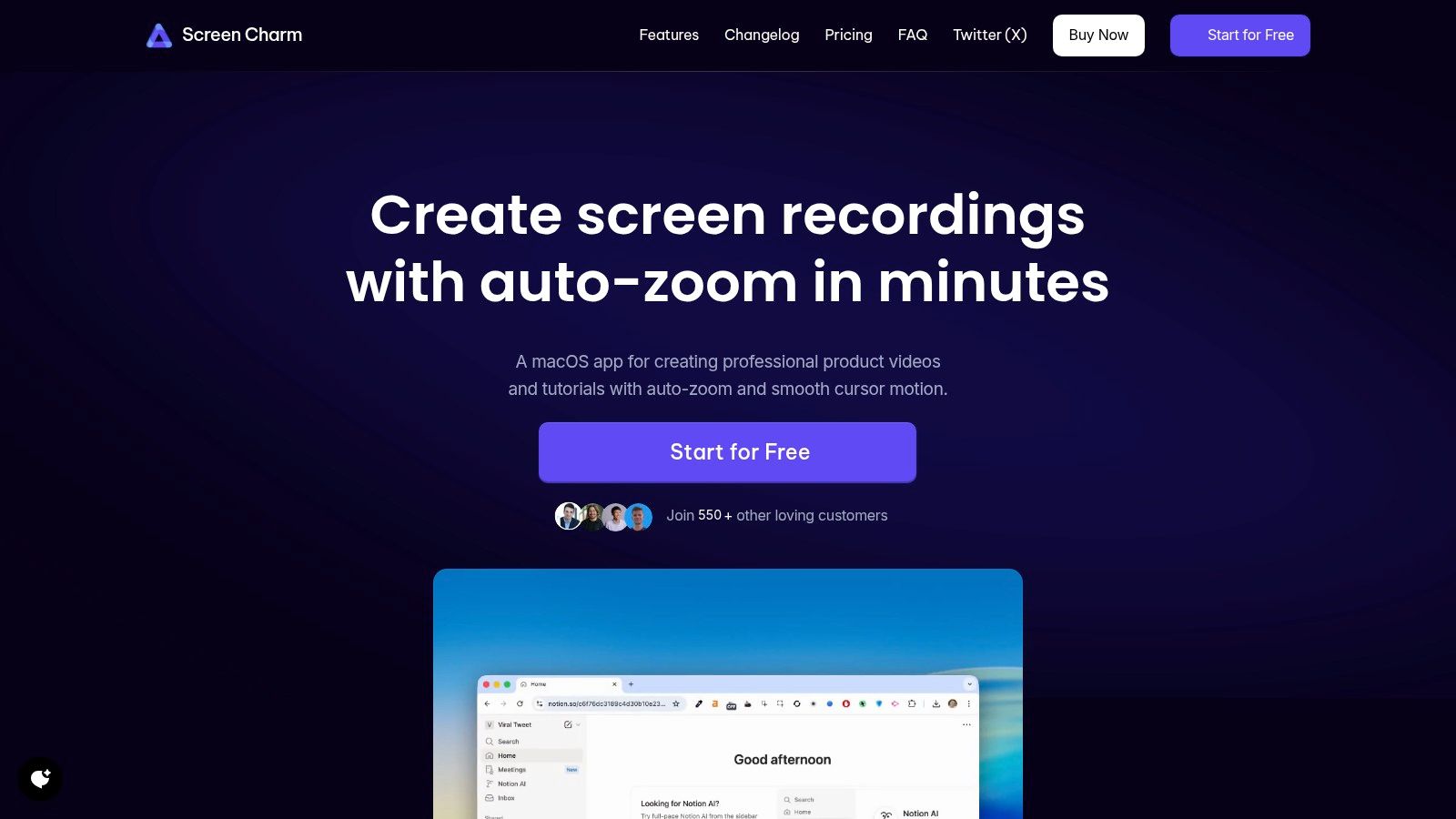
Its primary differentiator is the Smart Auto-Zoom feature, which intelligently tracks cursor movements to dynamically pan and zoom, automatically focusing the viewer's attention on the action. This eliminates the tedious process of manual keyframing in traditional video editors, drastically cutting down production time while ensuring a clear, guided viewing experience.
Key Strengths and Use Cases
The all-in-one workflow is a significant advantage. Users can record their screen, webcam, microphone, and system audio simultaneously within a single interface. Post-recording, the integrated editor allows for fine-tuning the auto-zoom, trimming clips, and customizing elements like backgrounds and cursor styles. This streamlined process is ideal for creating:
- Quick Product Demos: Showcase new features with a dynamic, engaging video.
- Onboarding Tutorials: Guide new users through your software's interface step-by-step.
- Support Walkthroughs: Clearly demonstrate solutions to common user problems.
- Marketing Videos: Produce compelling promotional content for social media or your website.
For those new to video production, the Screen Charm blog offers excellent guidance on the best practices for creating effective tutorials. You can learn more about their approach to screen recording for tutorials and apply those principles directly within the app.
Analysis and Verdict
| Feature | Details |
|---|---|
| Platform | macOS only (Optimized for Apple Silicon, requires macOS Sonoma 14.0+) |
| Core Function | Smart auto-zooming screen recorder and editor |
| Best For | Developers, marketers, and educators on macOS needing fast, professional demos without a steep learning curve. |
| Pricing | $49.90 one-time purchase for a lifetime license, including all future updates. Includes a 30-day money-back guarantee. |
| Support & Community | Direct support from the founder and a strong community with over 550 customers and positive social proof. |
While it doesn't aim to replace complex, multi-track editors like Final Cut Pro, its focus is its strength. Screen Charm excels at doing one thing exceptionally well: creating clear, polished, and engaging software videos faster than nearly any other tool on the market. For Mac-based teams and creators, its one-time purchase model and powerful, time-saving features make it an invaluable addition to their documentation toolkit.
2. Atlassian Confluence
Atlassian Confluence is a titan in the team collaboration space, serving as a centralized knowledge base perfect for both internal and external software documentation. It organizes content into "Spaces" (for teams or projects) and "Pages," allowing technical writers and developers to build a structured, hierarchical library of information, from high-level product overviews to detailed standard operating procedures (SOPs).
What sets Confluence apart is its deep, native integration with Jira. This connection creates a seamless workflow where development tickets in Jira can be directly linked to their corresponding documentation in Confluence. This ensures that as features evolve or bugs are fixed, the documentation remains synchronized, a key principle of effective software documentation best practices. The platform’s robust permission controls and audit logs make it a go-to choice for enterprises requiring strict governance and security.
Key Details & Pricing
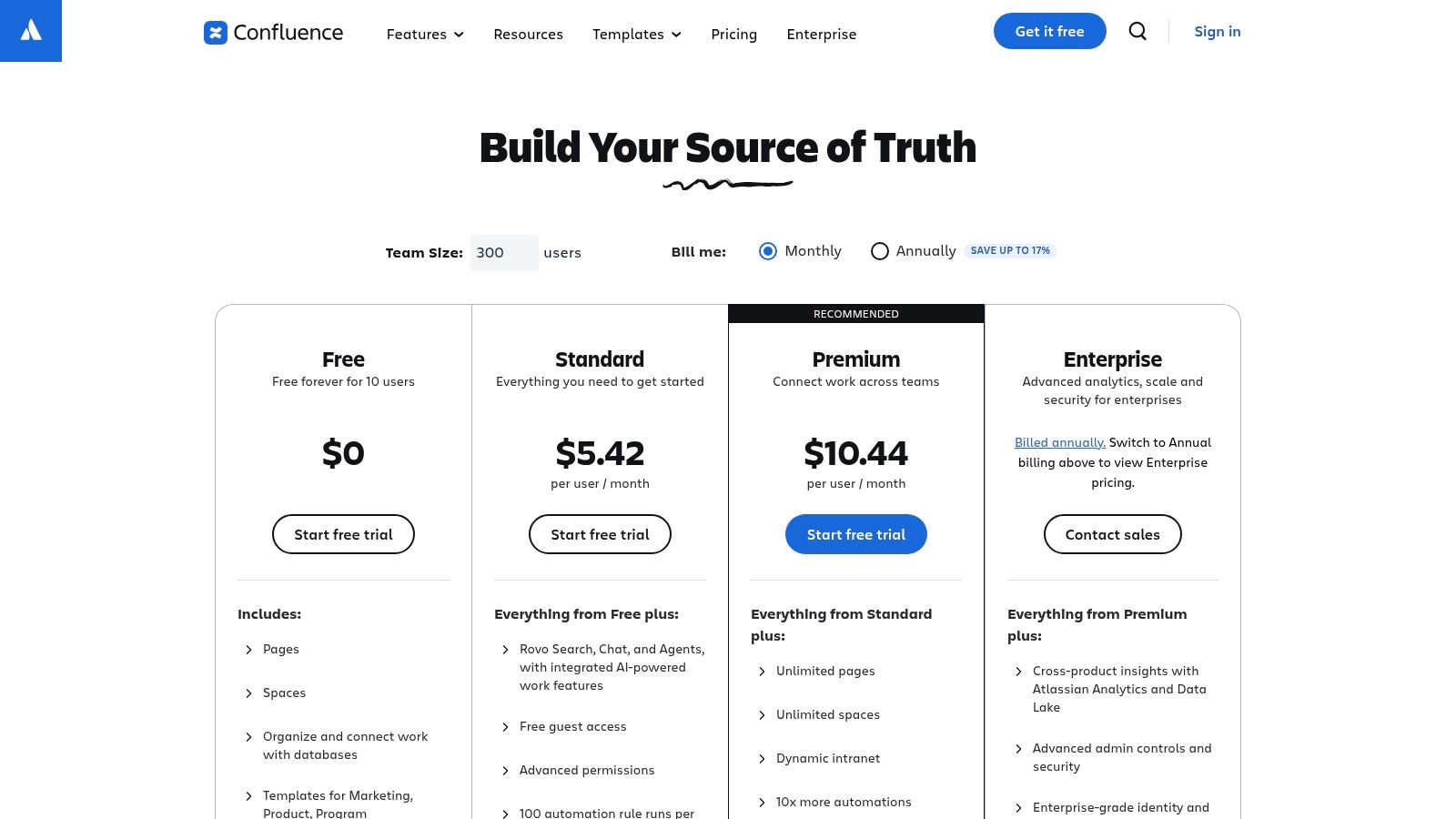
Confluence's offerings cater to teams of all sizes, from startups to massive enterprises. While it is a web-based platform, Atlassian provides a native desktop app for macOS, offering a more integrated user experience with notifications and faster access than a standard browser tab.
- Best For: Teams already invested in the Atlassian ecosystem, particularly those using Jira for project management. It's ideal for creating comprehensive internal knowledge bases and secure, customer-facing help centers.
- Pros: Its enterprise-grade features, including SSO and advanced permissions, are top-tier. The vast marketplace of apps allows for extensive customization. The native macOS app enhances productivity.
- Cons: The user interface can feel complex for new users, and the cost can escalate quickly as your team grows. Managing permissions at a granular level can become a significant administrative task.
- Pricing: A free plan is available for up to 10 users. Paid plans are Standard ($6.05/user/month), Premium ($11.55/user/month) for advanced features, and an Enterprise tier with custom pricing. Visit their official pricing page for details.
3. GitBook
GitBook has carved out a niche as a modern documentation platform that excels at creating fast, beautiful, and developer-friendly public-facing docs. It combines a clean, block-based editor with powerful Git synchronization, allowing teams to manage documentation as code. This approach makes it a standout choice for product teams that want to maintain a single source of truth for their content, from product guides to interactive API references.
What truly sets GitBook apart is its developer-first workflow. The ability to sync content directly with GitHub or GitLab repositories means documentation can live alongside the codebase, fitting seamlessly into existing CI/CD pipelines. Its native support for OpenAPI specifications creates interactive API docs where users can test endpoints directly on the page. This focus on a streamlined, code-centric process simplifies the creation of a well-organized site, a core principle of good information architecture.
Key Details & Pricing
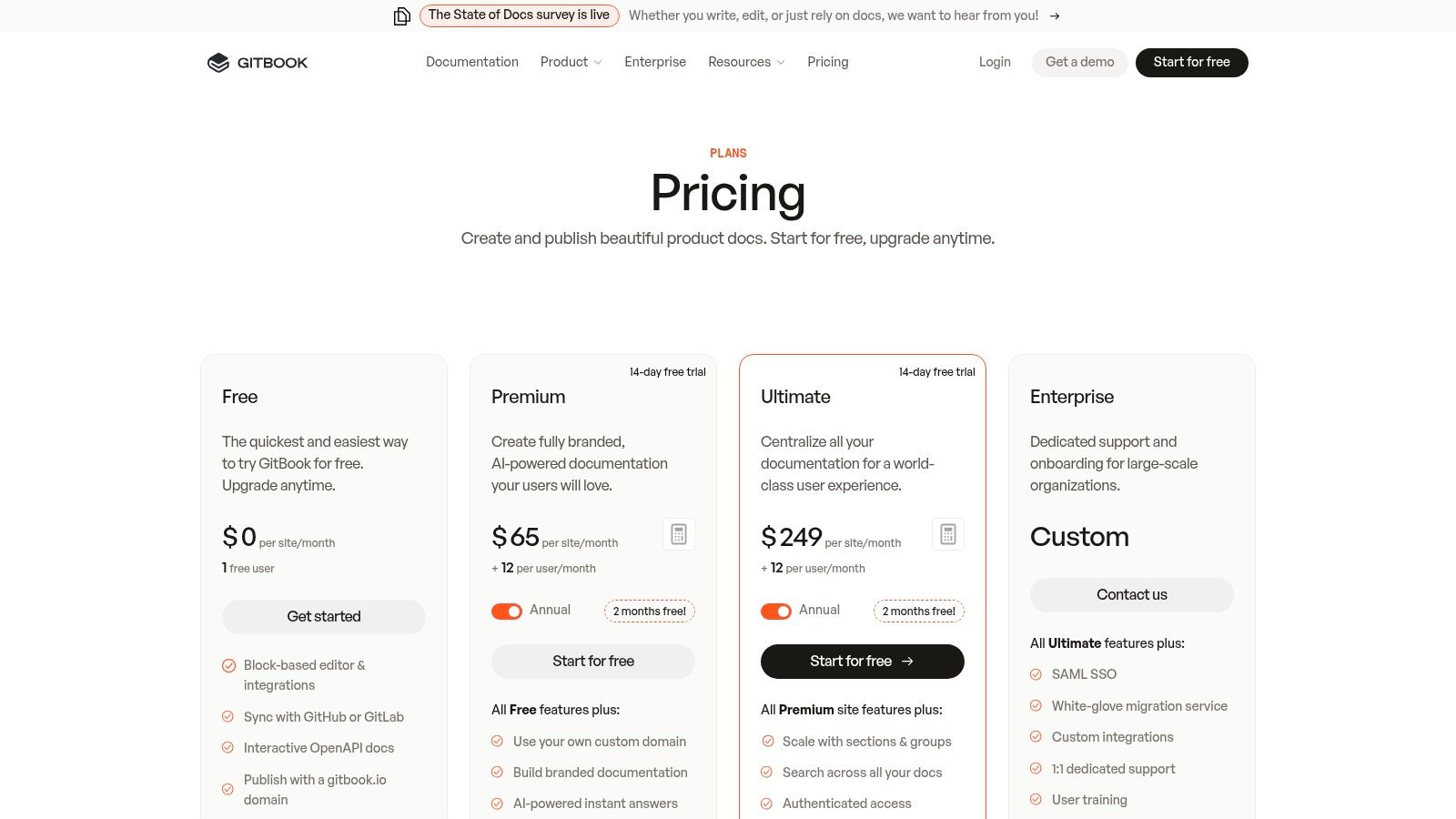
GitBook offers a polished, web-based experience with a dedicated desktop app for macOS that provides a native feel and offline access. Its pricing model is designed to scale with both content and team size.
- Best For: Startups and product teams needing to quickly publish polished public documentation, especially those with a strong focus on API references and a "docs-as-code" philosophy.
- Pros: Its user interface is exceptionally intuitive, enabling rapid content creation. The Git sync, interactive API features, and native macOS client provide a superior developer experience.
- Cons: The pricing can become complex, as it combines per-user and per-"space" (site) fees. Advanced branding and customization options are often locked behind higher-tier plans.
- Pricing: A free plan exists for open-source and personal projects. Paid plans include Plus ($8/user/month), Pro ($15/user/month), and a custom Enterprise plan. Check their official pricing page for the latest details.
4. Read the Docs
Read the Docs is a specialized platform for hosting, building, and versioning technical documentation, making it a cornerstone for many open-source projects. It simplifies the publishing process by connecting directly to your Git repository (GitHub, GitLab, etc.) and automatically building your documentation whenever you push changes. This "docs-as-code" approach is highly favored by developers who prefer to write and manage documentation using lightweight markup languages like reStructuredText (with Sphinx) or Markdown (with MkDocs).
What truly sets Read the Docs apart is its dedication to the documentation lifecycle. The platform automatically creates and hosts different versions of your documentation that correspond to your repository's branches and tags. This allows users to easily switch between documentation for your stable, latest, and older releases. For developers seeking robust, automated, and version-controlled tools for software documentation, this continuous integration workflow is incredibly efficient and powerful, ensuring documentation stays perfectly in sync with the codebase.
Key Details & Pricing
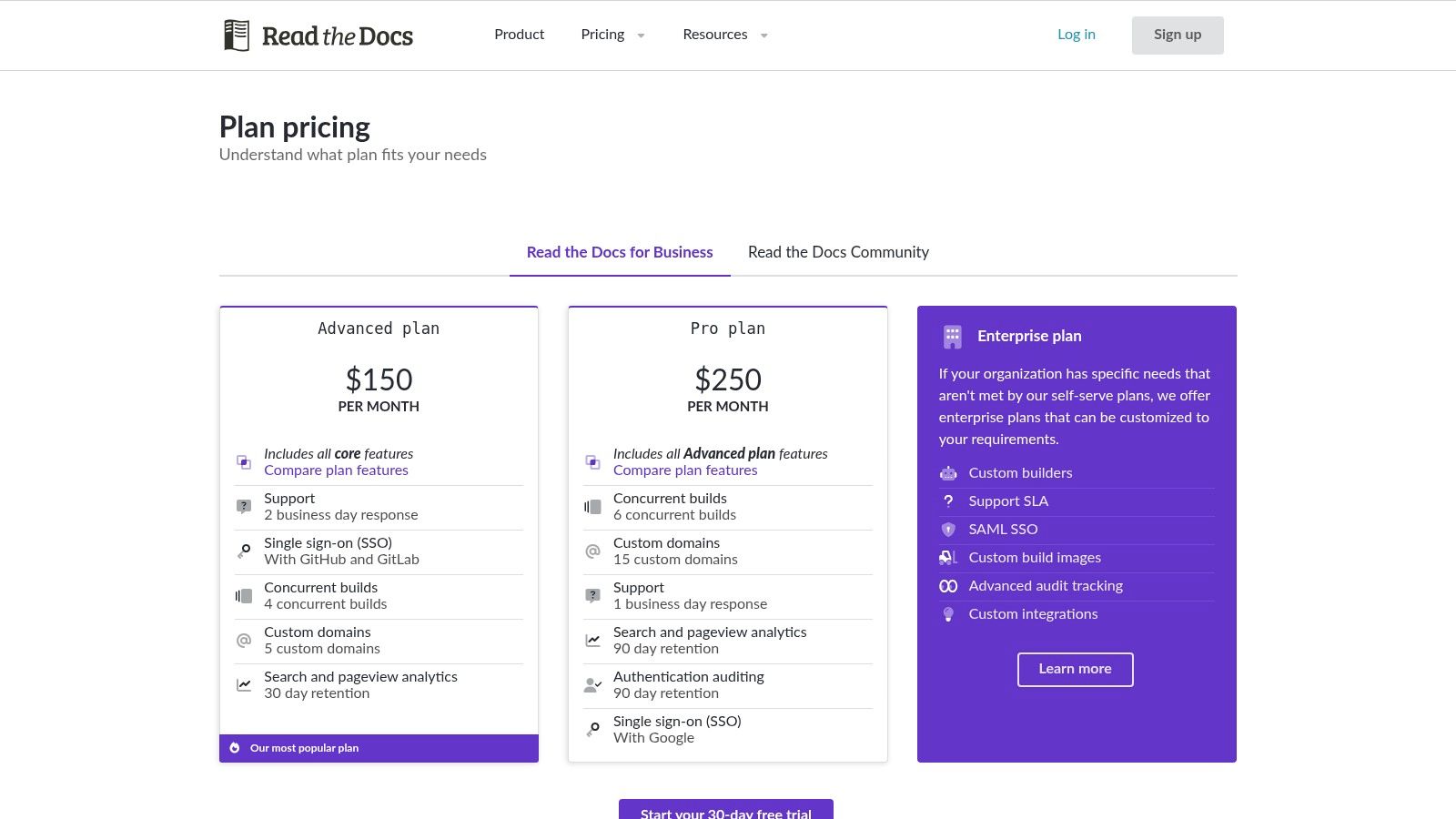
Read the Docs offers distinct hosting options: a free Community site for open-source projects and a paid Business service for private, commercial documentation. While the service is web-based, the docs-as-code workflow integrates seamlessly into any developer's local environment. On macOS, this workflow is especially efficient, leveraging the powerful Unix-based terminal for local builds and Git management before pushing to a repository for deployment.
- Best For: Open-source projects and developer-centric teams who manage documentation alongside their source code using Sphinx or MkDocs. It's perfect for creating versioned API references and user guides.
- Pros: The free community hosting for public projects is a massive benefit. Its automated build and versioning system is a best-in-class workflow for technical documentation.
- Cons: It lacks a WYSIWYG editor, which can be a barrier for non-technical contributors. Theming and customization are less flexible compared to dedicated SaaS site builders.
- Pricing: Free for public, open-source projects. Business plans for private docs start with the Advanced plan at $50/month, a Business plan at $150/month, and an Enterprise tier with custom pricing. Visit their official pricing page for more details.
5. Docusaurus
Docusaurus is a powerful, modern static site generator built by Meta, designed specifically for creating clean, easy-to-navigate documentation websites. It leverages React to build a single-page application with fast client-side navigation, making for a smooth user experience. This tool is ideal for developers who want complete control over their documentation's look, feel, and functionality, turning Markdown files into a polished, production-ready website.
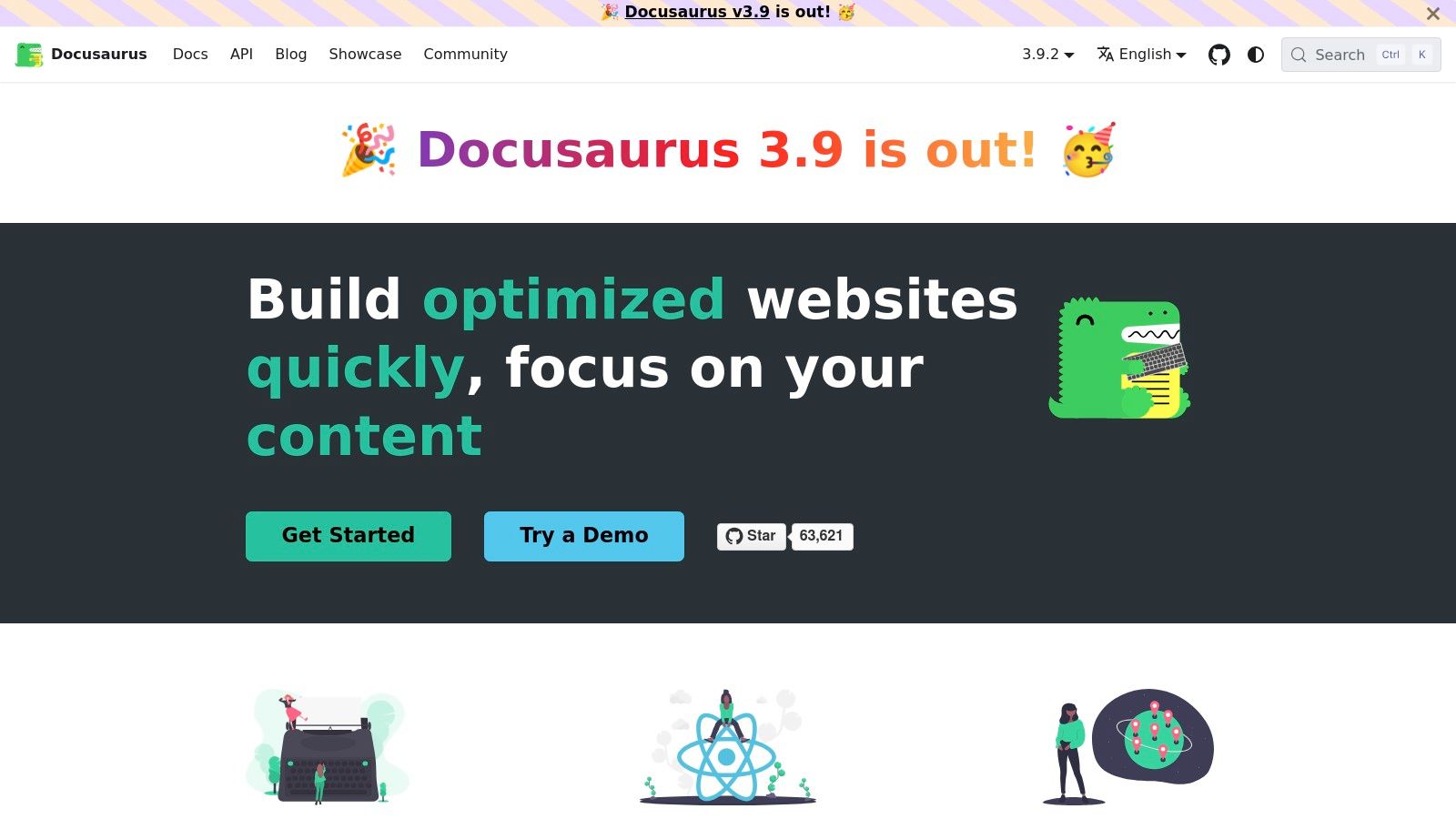
What truly makes Docusaurus stand out is its developer-centric feature set combined with its open-source nature. It has built-in support for versioning, which is crucial for documenting software that has multiple releases. Furthermore, its use of MDX (Markdown with JSX) allows you to embed interactive React components directly within your documentation, enabling dynamic examples, charts, or tutorials. This combination of powerful features makes it one of the top-tier, free tools for software documentation for technical product teams.
Key Details & Pricing
As an open-source project, Docusaurus is completely free to use, but you are responsible for hosting and maintenance costs. It is primarily a command-line tool that runs seamlessly on macOS, integrating perfectly with the native terminal and developer tools like VS Code or Homebrew for a smooth local development experience.
- Best For: Developer-heavy teams creating public-facing documentation for APIs, SDKs, or open-source projects. It's perfect for those who need robust versioning and customization capabilities.
- Pros: Entirely free and highly customizable with a strong plugin ecosystem. The versioning and MDX support are best-in-class for creating rich, interactive docs.
- Cons: Requires engineering resources to set up, host, and maintain. It lacks built-in SaaS features like analytics or a GUI editor, requiring third-party services for such functionality.
- Pricing: Docusaurus is Free (open-source). Your only costs will be related to hosting the static site on platforms like Netlify, Vercel, or AWS. Learn more on the official website.
6. Document360
Document360 is a mature, AI-powered knowledge base platform designed specifically for creating robust software documentation and self-service help centers. It excels in environments where documentation is a core part of the customer support strategy, offering a sophisticated editorial workflow and analytics to measure content effectiveness. The platform enables teams to build both internal and external knowledge bases with extensive customization, including custom domains and branding.
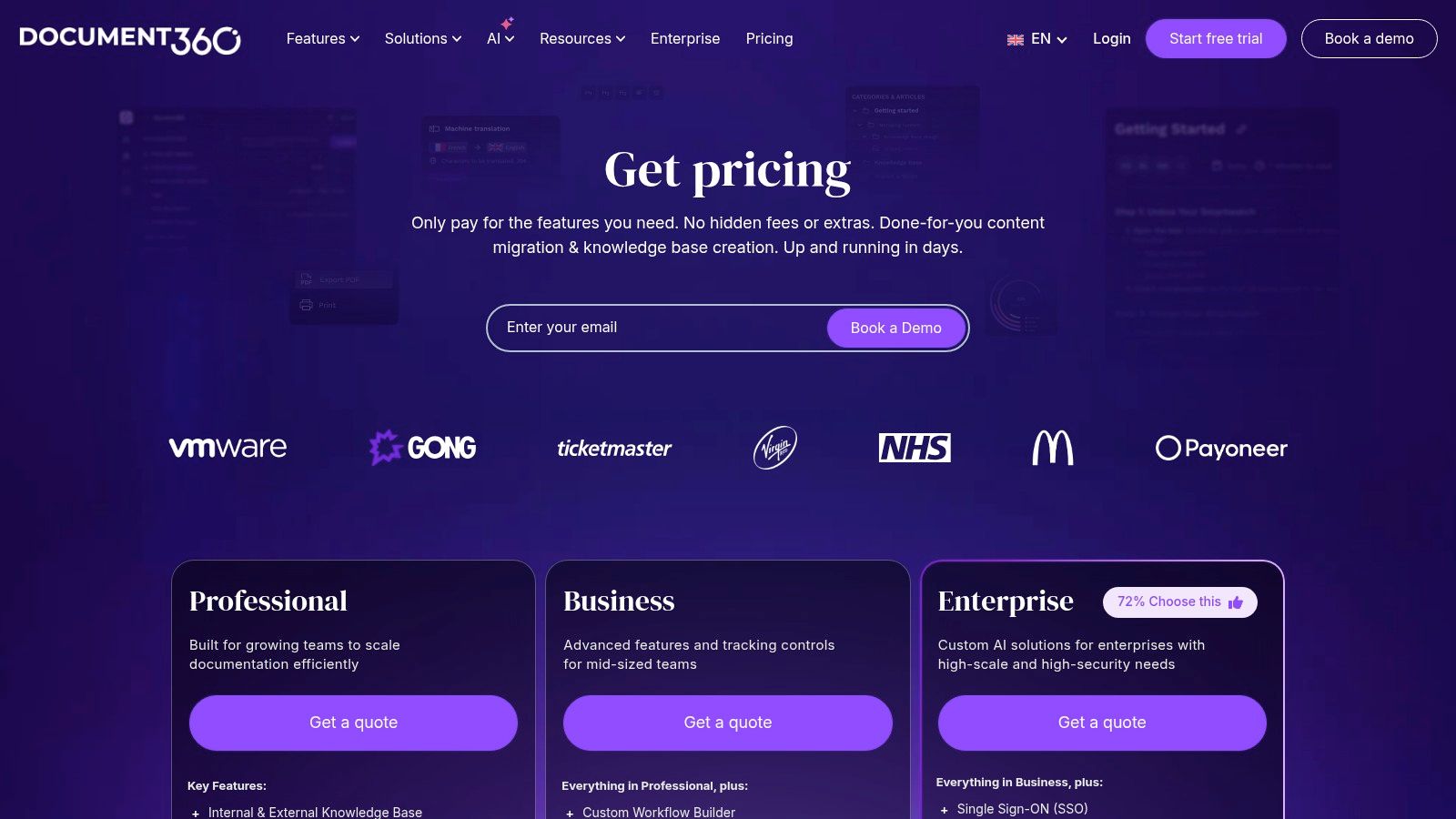
What truly sets Document360 apart is its focus on the entire content lifecycle, supported by powerful AI. Features like AI-powered search, an AI writing assistant, and automatic FAQ generation streamline the creation and maintenance process. Its deep integrations with helpdesk and chat tools are designed to deflect support tickets by providing users with instant, relevant answers. This makes it one of the premier tools for software documentation aimed at reducing customer support workload.
Key Details & Pricing
Document360 is a comprehensive, web-based solution that also offers an API for headless implementation, giving developers flexibility. As a browser-based platform, its feature-rich editor is fully accessible from any modern operating system, working flawlessly on macOS through Safari, Chrome, or Firefox.
- Best For: Customer support and success teams in mid-sized to enterprise-level companies looking to build a scalable, multi-language help center with advanced workflow and analytics capabilities.
- Pros: Its mature knowledge base tooling and analytics are excellent for support teams. The strong AI feature set significantly speeds up content creation and improves search accuracy.
- Cons: The pricing structure is geared towards larger teams and may be more than a startup or small business needs. Some of its most powerful capabilities are locked behind higher-tier or enterprise plans.
- Pricing: The Standard plan starts at $149/project/month. Higher tiers include Professional ($299/month), Business ($599/month), and a custom-priced Enterprise plan for advanced needs. Visit their official pricing page for more details.
7. MadCap Flare (and Flare Online)
MadCap Flare is an enterprise-grade help authoring tool (HAT) designed for creating, managing, and publishing complex technical documentation. It operates on a topic-based authoring model, allowing writers to create reusable content components (topics) that can be assembled into various outputs. This single-sourcing capability is its core strength, making it one of the most powerful tools for software documentation that requires consistency across multiple formats like HTML5 websites, PDFs, and knowledge bases.
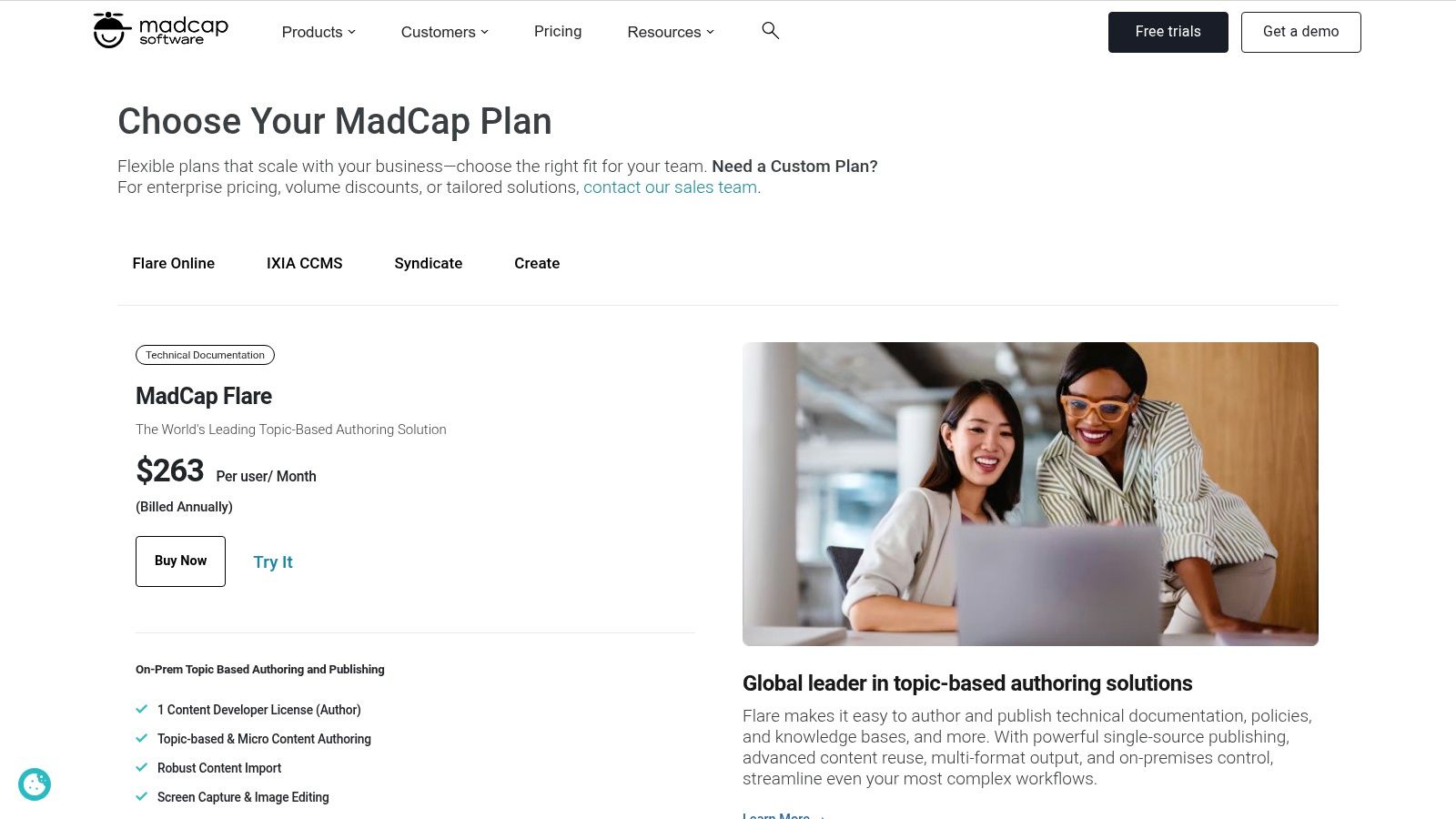
What truly sets Flare apart is its robust support for conditionalization and localization. Writers can use variables and conditions to tailor content for different audiences, product versions, or platforms from a single source project. Its structured workflows are ideal for regulated industries or global products requiring extensive translation management. The companion product, Flare Online, extends these capabilities to the cloud, adding browser-based authoring, project management, and analytics to the traditional desktop application.
Key Details & Pricing
Flare is a professional-grade tool primarily available as a desktop application for Windows. For macOS users, this presents a significant hurdle, as there is no native client. The most common workaround is running Flare using virtualization software like Parallels Desktop. The cloud-based Flare Online component, however, is accessible from any modern web browser on a Mac.
- Best For: Technical writing teams in enterprise environments, especially those in regulated industries like finance or medical devices, or companies managing documentation for complex products with multiple variants and extensive translation needs.
- Pros: Unmatched single-sourcing and multi-channel publishing capabilities. Its conditional content and localization workflows are top-tier, significantly reducing redundant work.
- Cons: The learning curve is steep, and the user interface can feel dated and complex. Crucially for Mac users, it is not a native macOS application and requires virtualization software to run.
- Pricing: Pricing is not publicly listed and requires a custom quote. Visit the official pricing page to contact their sales team for a quote or to request a trial.
8. Adobe RoboHelp
Adobe RoboHelp is a long-standing, powerful help authoring tool (HAT) designed for professional technical communicators. It provides a robust, desktop-first environment for creating and managing extensive help systems, knowledge bases, and policy guides. Instead of a collaborative web platform, RoboHelp focuses on a structured, topic-based authoring workflow where writers can utilize variables, snippets, and conditional content to manage complexity across large documentation sets.
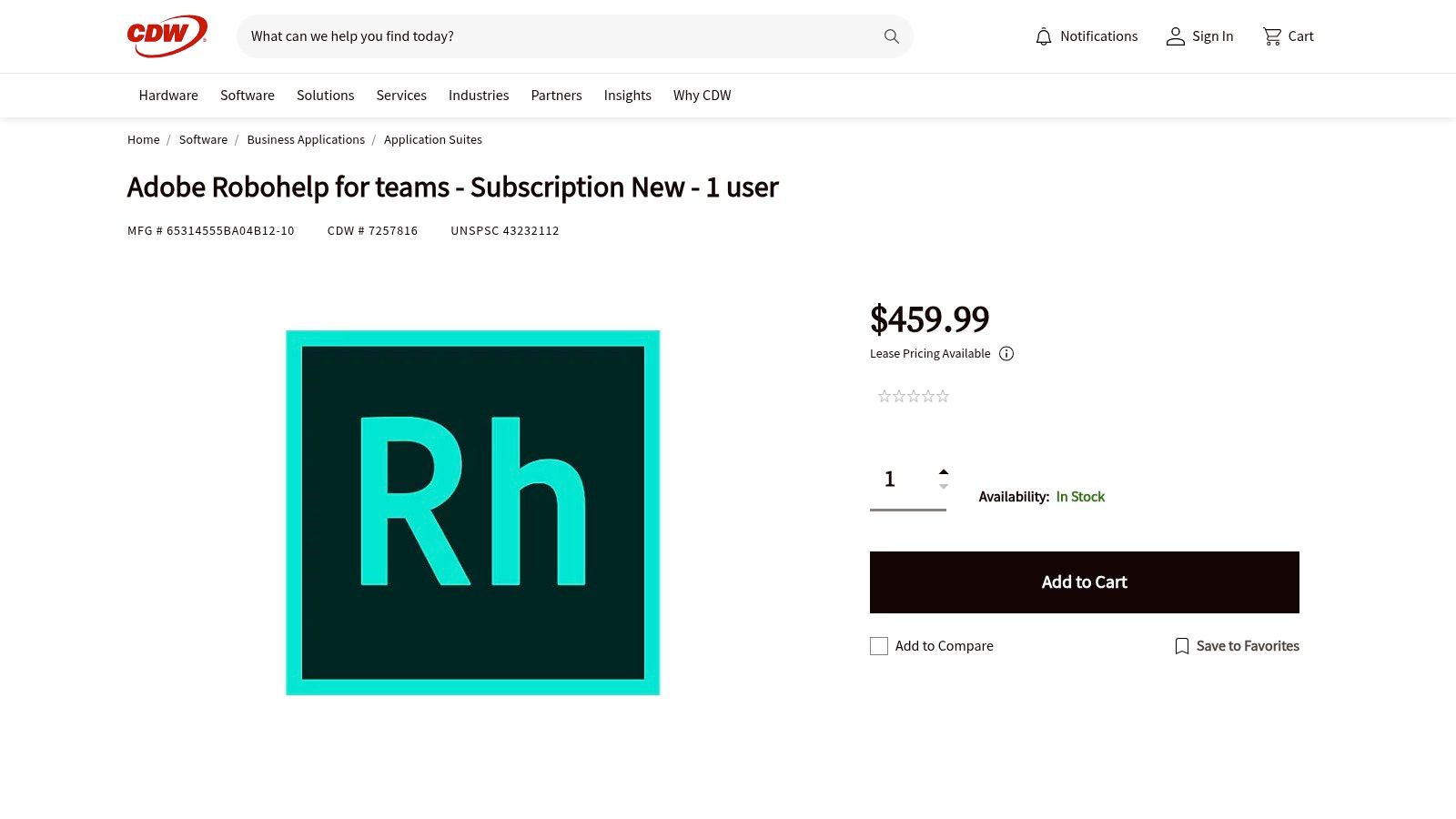
What makes RoboHelp a staple among tools for software documentation is its exceptional multi-format publishing engine. Authors can create content once and publish it to numerous outputs, including modern and responsive HTML5, PDF, EPUB, and more, all from a single source project. Its highly customizable skins and CSS3-based templates allow for complete control over the final look and feel, ensuring the output matches corporate branding perfectly. This single-sourcing capability is a massive time-saver for teams supporting products on multiple platforms.
Key Details & Pricing
RoboHelp is available as a desktop application for Windows. Similar to MadCap Flare, there is no native macOS version, which is a significant drawback for Mac-centric teams. Mac users must rely on virtualization software like Parallels Desktop to run the application, adding complexity and potential performance overhead.
- Best For: Technical writing teams in enterprise environments that require a single-source solution for producing polished, multi-format documentation like help systems, manuals, and knowledge bases.
- Pros: Familiar authoring workflows for experienced technical writers. Its output controls and skinning options are powerful for creating highly branded help content.
- Cons: It's a desktop-first, Windows-only tool. The lack of a native macOS app makes it a challenging choice for teams working primarily in the Apple ecosystem.
- Pricing: Adobe RoboHelp is sold as a subscription, often through enterprise resellers like CDW. Pricing for a new subscription for a single user is approximately $39.99/month. Visit a reseller like CDW for current purchasing options.
9. ReadMe
ReadMe is a dedicated platform for creating interactive API documentation and developer hubs. It excels at building polished, user-friendly portals that go beyond a simple reference, combining API specs with comprehensive guides, changelogs, and discussion forums. This approach turns static documentation into a dynamic community resource, fostering developer engagement and making it one of the premier tools for software documentation aimed at an external audience.
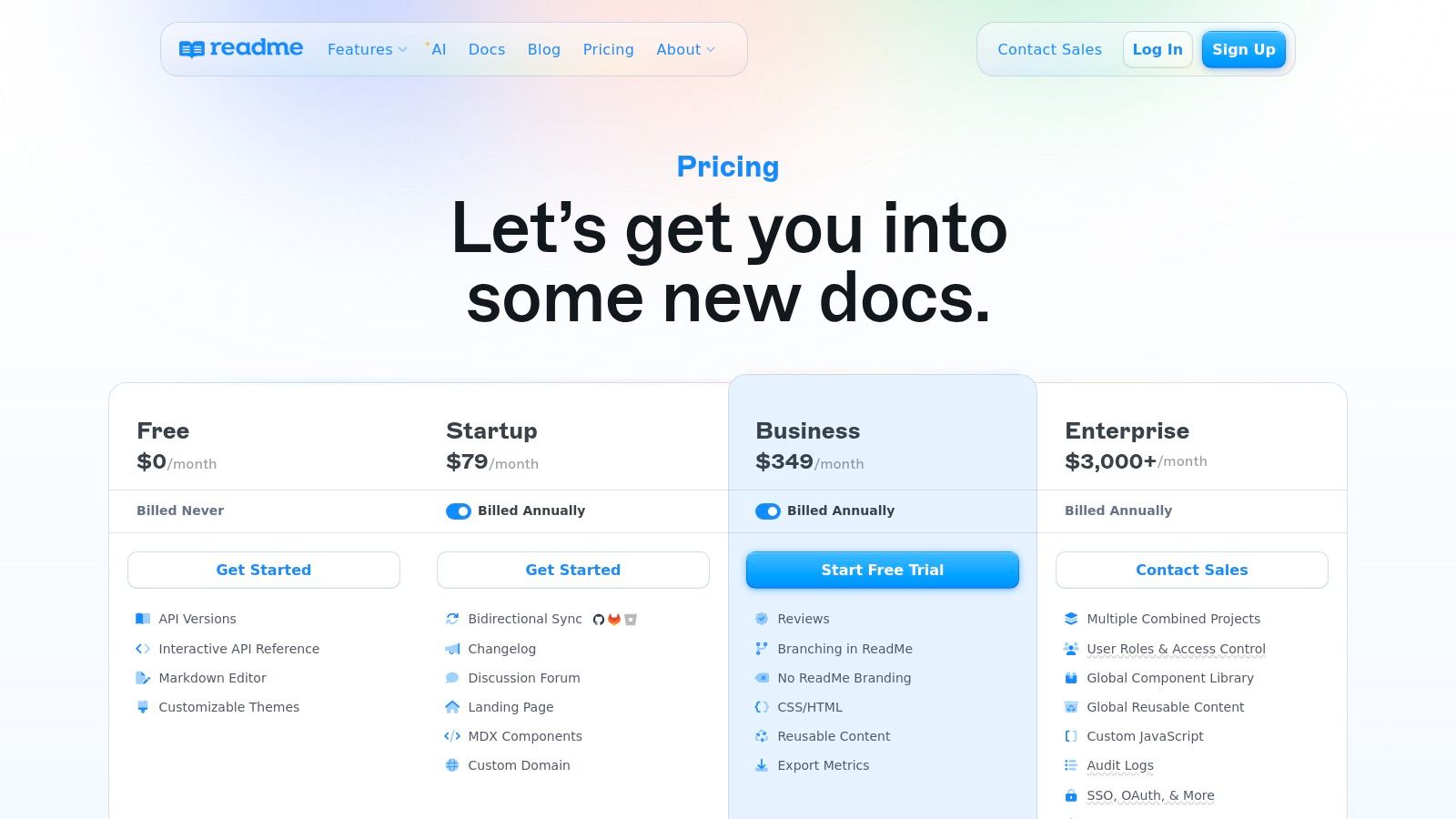
What truly sets ReadMe apart is its focus on the end-user developer experience and built-in analytics. The platform's "Try It!" feature allows developers to make live API calls directly from the documentation, drastically reducing the time it takes to get started. Furthermore, its API metrics dashboard, powered by log ingestion, provides invaluable insights into how developers are using your API, highlighting popular endpoints and common errors to help you improve both your API and its documentation.
Key Details & Pricing
ReadMe is a fully hosted, web-based solution, making it completely platform-agnostic. This means macOS users can access and manage their documentation portals through any modern browser without needing a dedicated desktop app, ensuring a consistent experience across all operating systems.
- Best For: Companies providing a public or partner-facing API who want to deliver a world-class developer experience and gain insights into API adoption.
- Pros: The interactive API explorer and built-in usage metrics are standout features. Customization options, including custom CSS/JS, allow for highly branded developer hubs.
- Cons: The pricing can be a significant investment for smaller projects or internal-only APIs. Advanced features like multi-project management are locked behind the highest-tier plan.
- Pricing: A free plan is available for personal projects. Paid plans are Startup ($99/project/month), Business ($2,000/month), and a custom Enterprise tier. For the latest details, visit their official pricing page.
10. SmartBear API Hub (SwaggerHub)
SmartBear API Hub, formerly known as SwaggerHub, is a powerful platform for designing, documenting, and managing APIs across their entire lifecycle. It is built around the OpenAPI Specification (OAS), providing a collaborative environment where teams can define APIs, enforce style standards, and generate interactive documentation automatically. This makes it one of the premier tools for software documentation specifically tailored for API-first development.
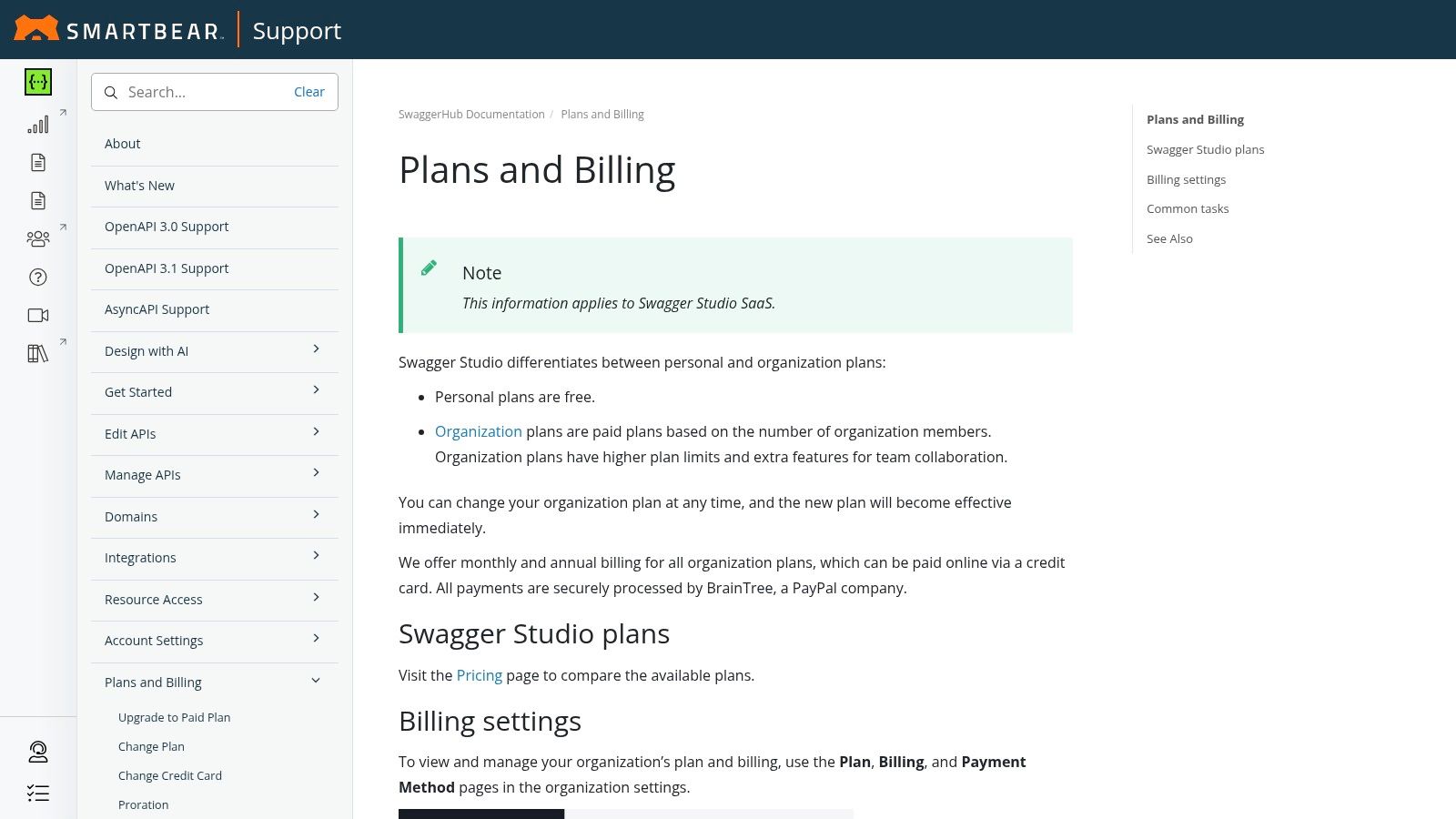
What truly distinguishes SwaggerHub is its role as a steward of the Swagger ecosystem. The platform offers robust governance features, enabling organizations to create reusable component libraries (Domains) to standardize API design across multiple projects. This focus on consistency is crucial for large API programs, ensuring that developers and consumers have a predictable and reliable experience. The integrated editor provides real-time validation and a visual interface, simplifying the creation of complex OpenAPI definitions.
Key Details & Pricing
SwaggerHub is primarily a web-based platform, making it fully accessible on macOS without requiring any local installation. Its cloud-first approach ensures that any team member, regardless of their device, can contribute to the API design and documentation process from their browser.
- Best For: Teams practicing API-first design that need a collaborative platform for standardizing and documenting APIs based on the OpenAPI Specification.
- Pros: Deep tooling and support for OpenAPI from the specification's creators. Strong governance and standardization features are excellent for large-scale API programs.
- Cons: Pricing can be opaque, with many features and add-ons requiring custom quotes. The cost can scale quickly with the number of designer seats and premium portal features.
- Pricing: A Free plan is available for individual use. Paid plans include Team and Enterprise, with pricing available upon request. Visit their official plans and billing page for more details.
11. Stoplight
Stoplight champions an API design-first approach, offering a comprehensive platform that combines a visual OpenAPI editor with powerful governance and documentation tools. It empowers teams to design, mock, and document APIs collaboratively before a single line of code is written. The platform’s core strength lies in its ability to generate beautiful, interactive documentation automatically from the OpenAPI specification, ensuring consistency and accuracy from design to deployment.
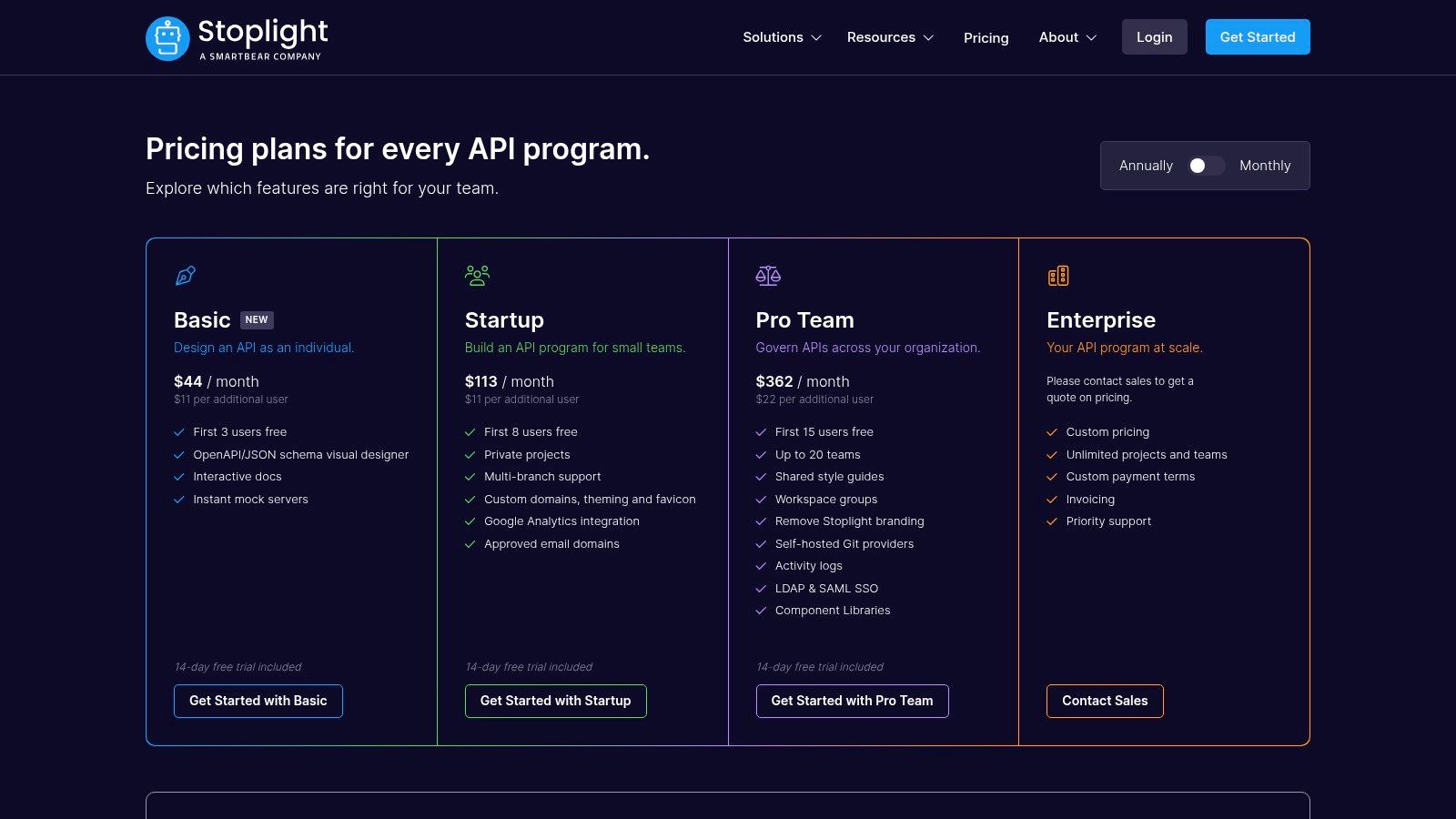
What makes Stoplight stand out among other tools for software documentation is its user-friendly visual editor, which abstracts away much of the complexity of writing YAML or JSON by hand. This makes API design more accessible to a broader range of stakeholders, not just seasoned developers. The platform also provides instant mock servers, allowing front-end developers and QA testers to interact with an API's endpoints long before the back-end is complete, significantly accelerating the development lifecycle. Its tools are primarily web-based and work seamlessly on macOS.
Key Details & Pricing
Stoplight's tiered model is designed to support teams as they scale their API programs, from individual developers to large-scale enterprise operations. The platform's transparent pricing and generous user allowances on paid tiers make it an attractive option.
- Best For: Teams adopting a design-first API strategy. It's perfect for organizations that need to enforce design standards and produce high-quality, interactive API documentation automatically.
- Pros: The visual OpenAPI editor is highly approachable for teams new to the design-first paradigm. Its instant mock servers and automatically generated docs streamline the development process.
- Cons: It is heavily focused on the API lifecycle, making it less suitable for general-purpose or non-API documentation. Advanced governance features like SSO are gated to the highest-priced tiers.
- Pricing: A free plan is available for individuals. Paid plans include Starter ($99/month for 5 users), Professional ($499/month for 10 users), and custom Enterprise pricing. For full details, visit their official pricing page.
12. Postman
Postman is an indispensable API platform that has become a standard for developers designing, building, and testing APIs. Its power as a documentation tool lies in its ability to automatically generate and host interactive API documentation directly from Postman Collections or API specifications like OpenAPI. This creates a single source of truth, ensuring that the documentation developers and consumers see is always synchronized with the actual API implementation being tested.
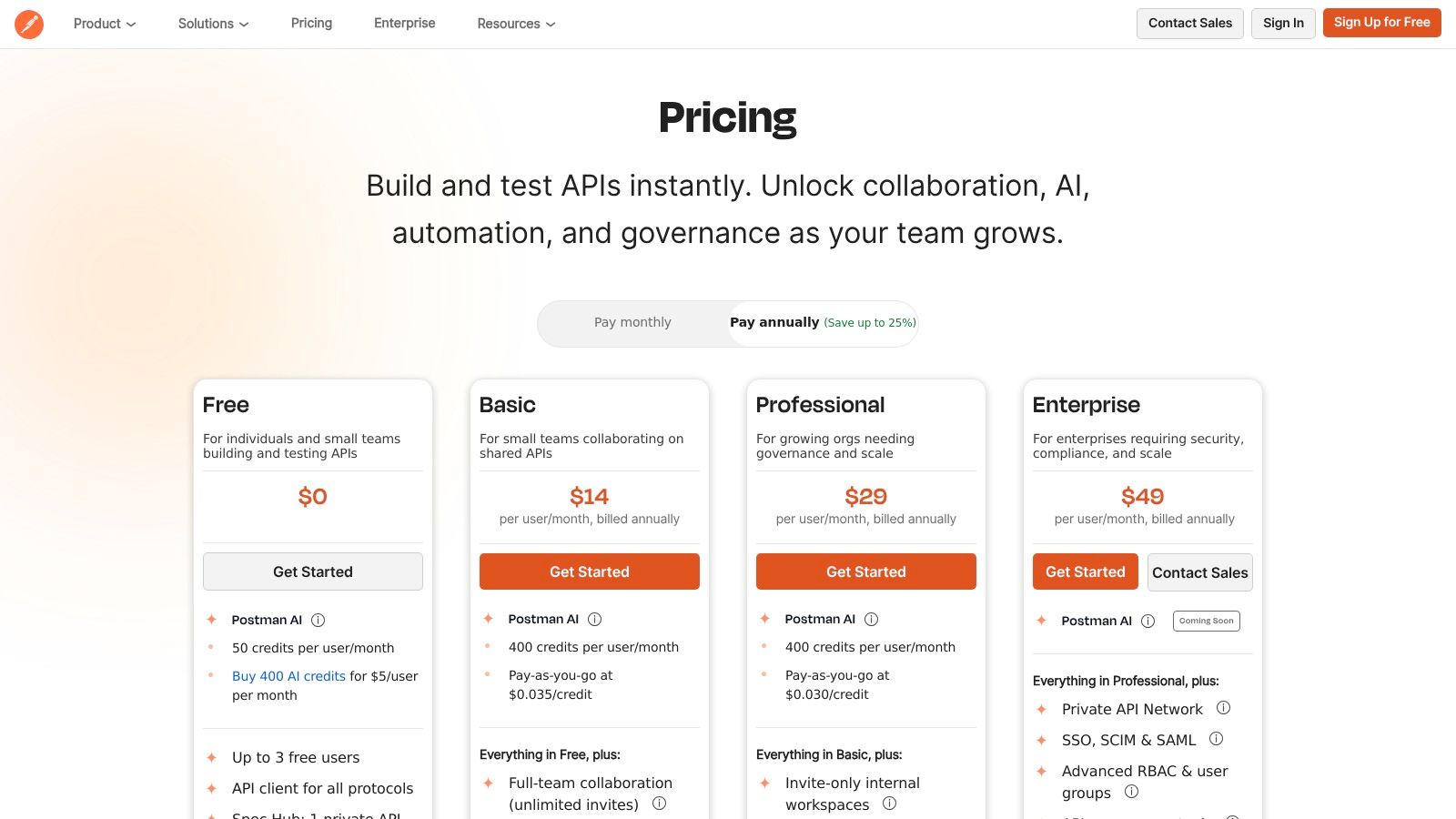
What truly distinguishes Postman is how seamlessly it integrates documentation into the developer workflow. Teams can design, mock, test, and document within the same collaborative workspace, eliminating the context switching that often leads to outdated docs. Its built-in API client, which supports a wide array of protocols, and features like mock servers allow consumers to interact with an API's documentation and send test requests without writing a single line of code, dramatically lowering the barrier to adoption. Postman offers an excellent native macOS app, optimized for both Intel and Apple Silicon, providing a fast and polished experience for Mac users.
Key Details & Pricing
Postman’s tiered plans are designed to scale with a team's collaboration and governance needs, from individual developers to large enterprises requiring advanced security and control.
- Best For: API-first development teams who need to create, test, and publish interactive API documentation from a single, unified platform.
- Pros: It is a ubiquitous tool in developer workflows, making adoption easy. The path from testing an endpoint to publishing its documentation is incredibly straightforward, especially with its native macOS app.
- Cons: Advanced documentation hosting features and robust governance controls are reserved for higher-priced tiers, and usage limits can be a factor for public-facing docs.
- Pricing: A generous Free plan is available for individuals and small teams. Paid plans start with Basic ($14/user/month), Professional ($29/user/month), and a custom-priced Enterprise tier. For full details, see their official pricing page.
Top 12 Software Documentation Tools — Feature Comparison
| Product | Core features | UX / Quality | Value & Pricing | Target audience | Unique selling points |
|---|---|---|---|---|---|
| Screen Charm 🏆 | Record screen+webcam, smart auto-zoom, built-in editor, 4K export | ★★★★☆ — intuitive, fast workflow | 💰 $49.90 one‑time; lifetime updates; 30‑day MBG | 👥 Developers, indie makers, educators, marketers, support teams | ✨ Smart auto-zoom; integrated editor; unlimited 4K; native macOS app |
| Atlassian Confluence | Wiki/spaces, permissions, templates, Jira integration | ★★★☆☆ — enterprise-ready, admin-heavy | 💰 Per‑user tiers — costs scale with seats | 👥 Large enterprises, product & ops teams | ✨ Deep Jira integration; SSO, audit logs, native macOS app |
| GitBook | Block editor, Git sync, OpenAPI support, theming | ★★★★☆ — polished, fast publishing | 💰 Per‑site + per‑user pricing | 👥 Product docs teams, developer docs | ✨ Git sync, MDX components, native macOS app |
| Read the Docs | Repo builds, versioned docs, Sphinx/MkDocs support | ★★★☆☆ — developer-focused, limited WYSIWYG | 💰 Free for OSS; paid private/business plans | 👥 Open‑source projects, developer docs teams | ✨ Automated CI builds, versioning, great for macOS CLI workflow |
| Docusaurus | Static site, MDX, versioning, React customization | ★★★★☆ — highly customizable, dev‑centric | 💰 Free (self‑hosted); hosting costs apply | 👥 Engineering teams building docs sites | ✨ MDX + React components, perfect for macOS CLI workflow |
| Document360 | KB editor, AI search/writing, workflows, analytics | ★★★★☆ — KB-focused, content workflows | 💰 Quote‑based / tiered plans | 👥 Support/CS teams, knowledge managers | ✨ AI-assisted writing/search, fully browser-based on macOS |
| MadCap Flare (Flare Online) | Single‑sourcing, multi‑output, translation workflows | ★★☆☆☆ — powerful, steep learning curve | 💰 Enterprise licensing / quote | 👥 Technical writers, regulated industries | ✨ Robust localization, multi‑channel publishing (Windows-only) |
| Adobe RoboHelp | Topic authoring, responsive HTML5/CSS3, multi-format | ★★☆☆☆ — desktop-first, familiar for writers | 💰 License/reseller pricing | 👥 Technical communicators, enterprises | ✨ Strong output controls, Adobe integrations (Windows-only) |
| ReadMe | Interactive API reference, changelogs, metrics | ★★★★☆ — excellent external dev UX | 💰 Premium tiers; tailored pricing | 👥 API teams, developer portals | ✨ Try‑it API console + metrics, fully browser-based on macOS |
| SmartBear API Hub (SwaggerHub) | OpenAPI editor, codegen, collaboration, portals | ★★★★☆ — specialized API governance tools | 💰 Seat/add‑ons; pricing varies | 👥 API design & governance teams | ✨ Deep OpenAPI tooling, governance, browser-based on macOS |
| Stoplight | Visual OpenAPI designer, mocks, interactive docs | ★★★★☆ — approachable, design‑first UX | 💰 Clear tiers; free allowances for starters | 👥 API teams adopting design‑first workflows | ✨ Visual editor + mock servers, browser-based on macOS |
| Postman | API client, auto docs, mocks, monitors, AI features | ★★★★☆ — ubiquitous, collaborative | 💰 Free + paid tiers; usage limits on free plan | ✨ Tight testing→docs flow; native macOS app |
Choosing the Right Documentation Stack for Your Team
Navigating the landscape of tools for software documentation can feel overwhelming, but the journey ends with a powerful, tailored solution that empowers both your team and your users. As we've explored, the "best" tool doesn't exist in a vacuum; it’s the one that aligns perfectly with your team’s workflow, technical expertise, audience needs, and project scope. There is no one-size-fits-all answer, only the right fit for your specific context.
The central takeaway is that a modern documentation strategy often involves a stack of tools, not a single platform. Your development team might live and breathe a docs-as-code workflow using GitBook or Docusaurus, while your customer support team thrives in a collaborative knowledge base like Confluence or Document360. This hybrid approach is not a weakness but a strength, allowing each team to use the most efficient tool for their primary function.
Key Factors for Your Decision Matrix
Before committing to a platform, assemble your team and build a decision matrix around these critical factors. Answering these questions honestly will illuminate the path forward and prevent you from investing in a tool that creates more friction than it resolves.
- Audience and Purpose: Who are you writing for? Are they developers who need API references, or non-technical end-users who need step-by-step visual guides? The answer will steer you toward either a technical tool like Stoplight or a user-friendly platform like Document360.
- Team Skills and Workflow: Is your team comfortable with Markdown, Git, and the command line? If so, static site generators that thrive in the macOS terminal environment offer immense power. If not, a WYSIWYG editor in a platform like Confluence is a more practical choice.
- Content Type and Format: Will your documentation be primarily text-based, or does it require rich media like interactive demos, screencasts, and tutorials? For macOS-based teams, creating this visual content is a critical consideration. A specialized, native tool like Screen Charm, designed for effortlessly recording and producing polished video guides on a Mac, becomes indispensable.
- Scalability and Future Needs: Consider where your product will be in two years. Will you need multi-language support, versioning, or advanced analytics? Choosing a tool that can grow with you, like Read the Docs or a platform with browser-based access, can save significant migration headaches down the line.
- Integrations and Ecosystem: How well does the tool play with your existing stack (e.g., Slack, Jira, GitHub)? A seamless integration can dramatically boost productivity and ensure your documentation stays current with your development cycle.
Embracing the Future of Documentation
As you finalize your stack, it's also wise to keep an eye on emerging trends. The documentation space is evolving rapidly, with automation and artificial intelligence playing an increasingly significant role. It's worth considering how emerging AI content creation tools might integrate or enhance your workflow in the future, potentially automating first drafts, summarizing complex code, or improving content discoverability.
Ultimately, the goal is to create a living, breathing resource that reduces support tickets, accelerates user onboarding, and empowers developers. The right set of tools for software documentation makes this process not just manageable, but truly effective. Don't be afraid to experiment, run pilot projects, and gather feedback from both your internal team and your end-users. Your documentation is a core part of your product experience, and investing in the right tools is an investment in your customers' success.
Ready to elevate your software documentation with crystal-clear visual guides and tutorials? Screen Charm makes it incredibly simple for macOS users to record, edit, and produce professional-quality screencasts and product demos. Stop telling users how your software works-start showing them with Screen Charm.